Logo Looks Blurry or Does Not Show
Find what you see, then the setting that fixes it. Every logo field is described in Default, Mobile and Transparent Logos.
The logo is blurry
Phones and retina screens draw each pixel of the logo with two or more screen pixels. A logo file exactly as tall as the header shows it looks soft there.
Upload the logo at twice the height it is shown:
- Main Logo: 120px tall. The desktop header shows it at up to 60px.
- Mobile Logo: 84px tall. The mobile header shows it at up to 42px.
Both fields are in Theme Options > Logo. Keep the file a PNG or WebP with a transparent background, and do not stretch a small file up: start from the original artwork.
For a logo that is sharp at any size, upload it as an SVG file. The media library accepts SVG while SVG Supported is on in Theme Options > Theme Design > SVG Upload, which it is by default. See SVG Upload.
Still blurry after a new upload? An image optimisation plugin may have shrunk it. Check its settings, or exclude the logo file.
The logo disappears in dark mode
With dark mode on and Dark Mode - Main Logo empty, the header shows the normal Main Logo on a dark background. A dark logo on a dark header looks as if it is not there.
Upload a light version of the logo in Dark Mode - Main Logo, and in Dark Mode - Mobile Logo for phones.
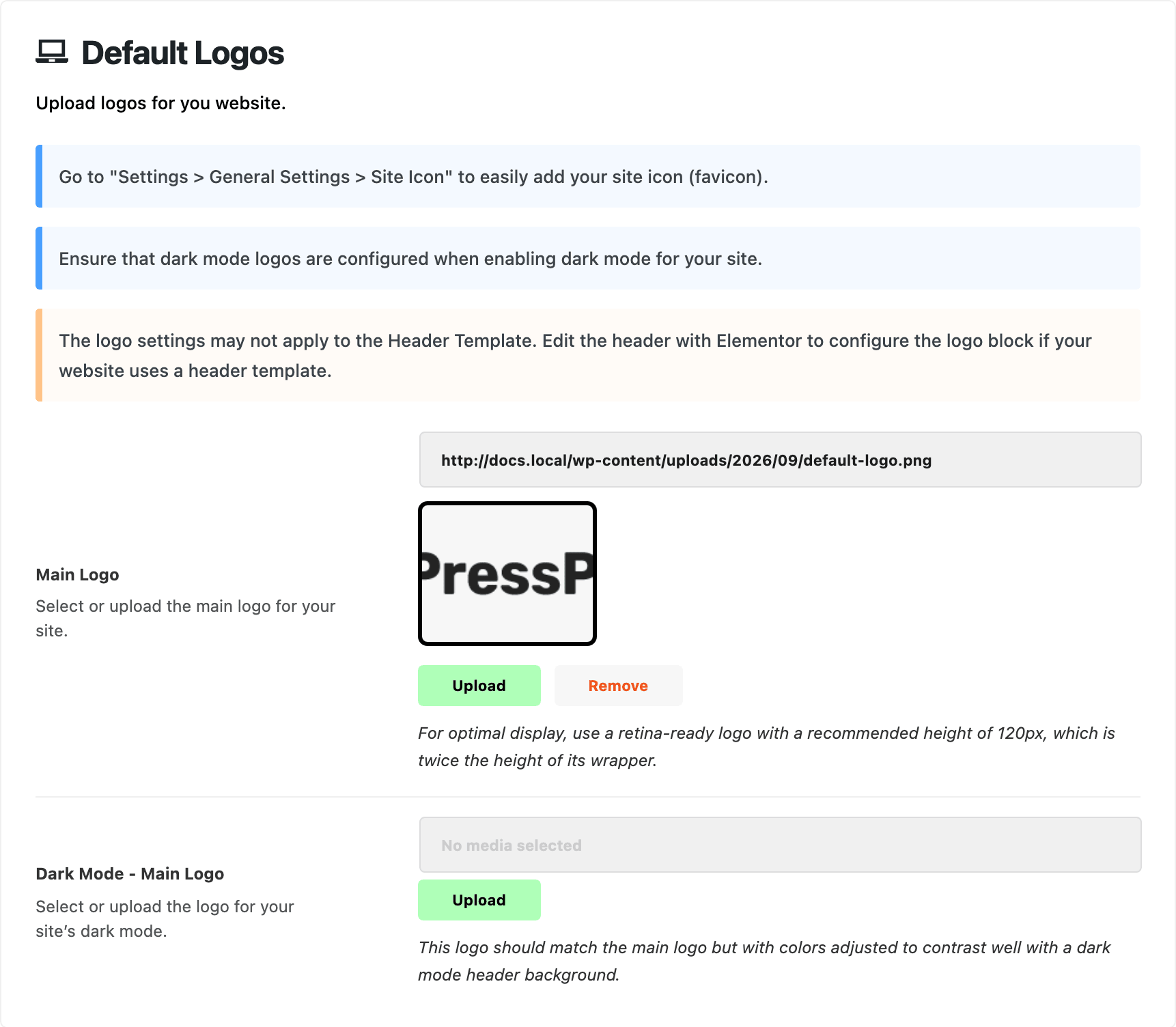
The site title shows instead of the logo
Main Logo is empty. With no image there, the header prints the site title as text. Upload the logo in Theme Options > Logo > Default Logos.
A new logo does not show
- The header is a Ruby Template. That is the case when Theme Options > Header > Header Layout > Header Layout reads Use Ruby Template. The template's Foxiz - Site Logo block has its own Logo Image, which wins over Theme Options. Clear it there, or upload the new logo there. See Updating the logo in Theme Options doesn't work.
- It changed on desktop but not on phones. The mobile header uses Mobile Logo, and a mobile header built as a Ruby Template has its own logo block.
- It changed but you still see the old one. A cache is showing the old page. See Changes Not Showing on the Site.
The logo is too big or too small
The file's size does not decide that. Logo Max Height, in the for Header subsection that matches your header layout, does.
For the browser tab icon, see Adding Site Favicon?.
Still stuck? Open a ticket with the address of a page where the logo looks wrong, the logo file you uploaded, and whether you see the problem on desktop, on phones, or in dark mode.
Did this answer your question?