Posts Show Page Not Found
The homepage opens, but a post, a category or another page shows the theme's 404 page ("page not found"). Find your case below.
Every post and category shows 404
This is almost always the site's address rules, the permalinks. They go out of date after a site move, a restore, an import, or a plugin that adds its own addresses.
- Go to Settings > Permalinks.
- Change nothing. Click Save Changes at the bottom.
- Open a post again.
WordPress writes its address rules again on that click. Foxiz also does this once by itself when you activate the theme.
For most sites, keep Post name selected on that screen: addresses read yourdomain.com/post-title/.
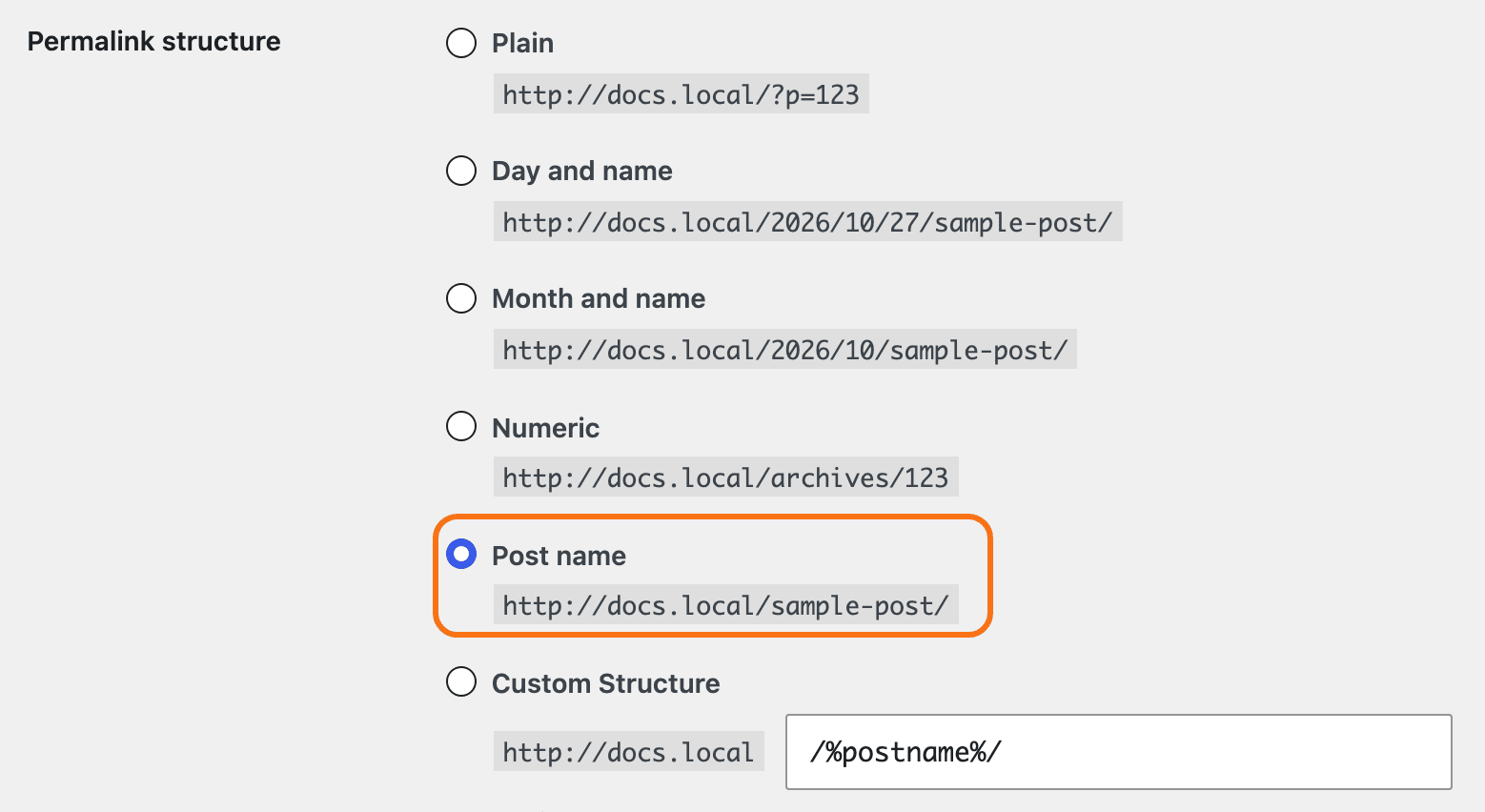
Still 404 after saving
The server is not reading the rules WordPress wrote.
- Apache or LiteSpeed hosting: WordPress keeps its rules in a file named
.htaccessin the site's root folder. If the permalink screen shows a box of code under the settings, WordPress could not write that file: copy the code into.htaccessyourself over FTP or the host's file manager (What is FTP?). - Nginx hosting: Nginx ignores
.htaccess. Ask your host to enable WordPress permalinks for the site, a one line change on their side.
Choose Plain on the permalink screen and save: if posts then open with addresses like ?p=123, the server rules are the cause, and your host can fix them. Switch back to Post name after.
One post or page shows 404
- It is not published. Drafts, pending and scheduled posts show 404 to visitors. Open it in Posts > All Posts and check its status.
- Its address changed. Editing the slug (the last part of the address) changes the link. Old links and bookmarks then lead to 404. Use the new address, or add a redirect with a plugin such as Redirection or your SEO plugin's redirect manager.
- It is in the trash. Look under Trash at the top of Posts > All Posts and restore it.
A new post type, podcast or forum shows 404
A post type added by a plugin, Custom Post Type UI, Ruby Podcast or bbPress needs its addresses registered. Save the permalinks once after you add it, as in the first section.
Page 2 of a listing shows 404
The theme sets how many posts each listing shows in its Theme Options panel (Blog Index, Category, Search Page and the others), and WordPress builds the page numbers from that same value. So a 404 on /page/2/ is the same address problem as above: save the permalinks.
What visitors see on a 404
The page itself is set in Theme Options > 404 Page: the heading, the text and a search form, or a Ruby Template of your own. See Every Setting in the 404 Page Panel.
Still stuck? Open a ticket with the address of a post that shows 404, the permalink setting you use, and whether your host runs Apache, LiteSpeed or Nginx.
Did this answer your question?