Social Icons or Custom Fonts doesn't Display?
Browsers load a font from another domain only when that domain allows it, and a subdomain counts as another domain. If your font awesome icons or custom fonts are not showing up in a certain browser, below is the solution for you:
The rule published with older versions of this article lists ttf, ttc, otf, eot and woff. Foxiz provides its fonts only as .woff2, and woff does not match woff2, so that rule covers none of the fonts the theme actually loads. If you applied it and nothing changed, this is why.
First read Check that you need this first below: on a standard install this rule is not needed, and a missing icon has a likelier cause.
Open .htaccess file in an editor and add codes below. You can find the file in the root directory of WordPress installation.
<IfModule mod_headers.c>
  <FilesMatch "\.(woff2|woff|ttf|ttc|otf|eot)$">
    Header set Access-Control-Allow-Origin "*"
  </FilesMatch>
</IfModule>
Paste the block exactly as it appears above. Older copies of this article wrapped it in <code> tags; Apache does not know that directive and returns a 500 error for the whole site, not just for fonts.
Note: You can reach the website directory through cPanel or with an FTP program. In most of the servers, it’s in the public_html folder.
Check that you need this first
This only applies when the fonts come from a different origin than the page: a CDN, or a subdomain such as static.example.com. Foxiz serves its five font files from your own domain, so a standard installation never hits this.
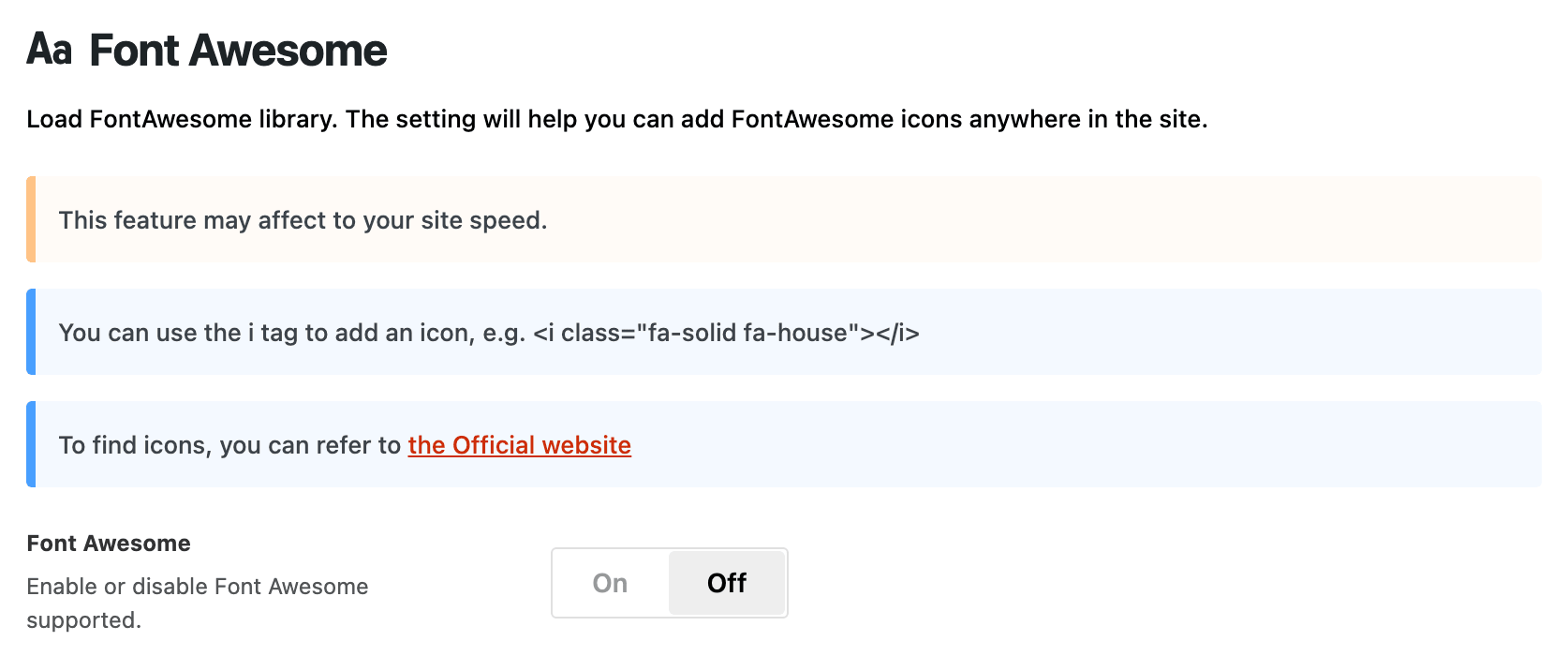
If your icons are missing and you are not using a CDN, the cause is usually one of two other things. A Font Awesome class shows nothing until Theme Options > Theme Design > Font Awesome is on, and it is off by default. Theme icons, the ones whose class begins with rbi-, need no setting at all, so if those are missing too the font file itself is not being served and the rule above is worth trying.
Did this answer your question?