Search Does Not Find Pages or Products
You search for a page title, or a product name, and the results show nothing. This is the theme's default, not a fault. Out of the box, Foxiz search shows posts and podcast episodes only.
Two fields decide it, both in Theme Options > Search Page:
- Include Post Types lists what search shows. Default:
post, podcast. - Global Disallow Post Types lists what search never shows, whatever the other field says. Default:
page, attachment, e-landing-page.
The same two fields also decide the live results under the header search box.
Add pages or products to search
- Go to Theme Options > Search Page.
- In Global Disallow Post Types, delete the type you want searched. For pages, delete
pageand leaveattachment, e-landing-page. - In Include Post Types, add the same type after a comma.
- Pages:
post, podcast, page - WooCommerce products:
post, podcast, product - Both:
post, podcast, page, product
- Pages:
- Click Save Changes.
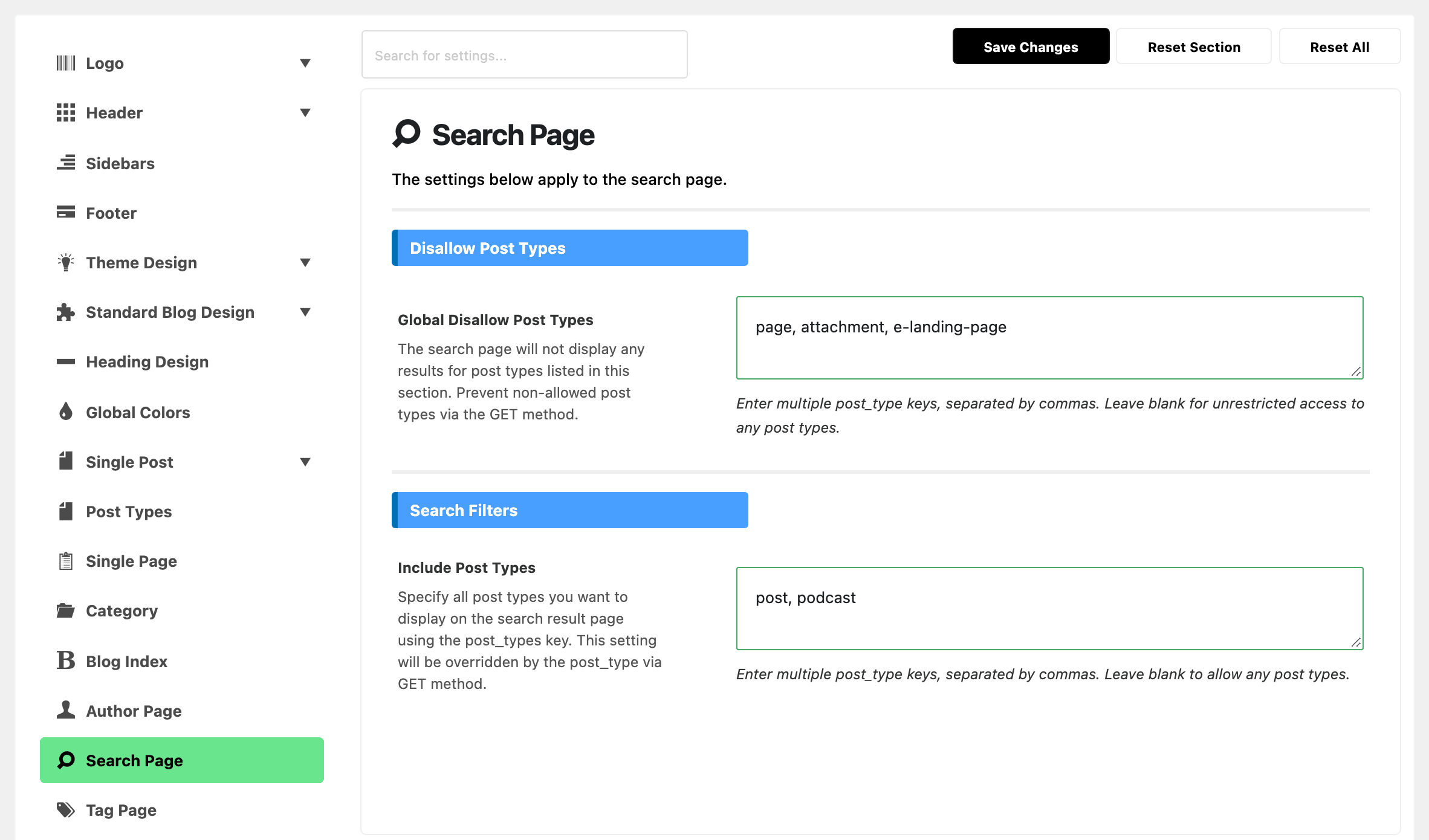
Keep attachment in Global Disallow Post Types. Without it, search lists every image you ever uploaded as a result of its own.
The words go in as keys, the short names WordPress uses for each post type: page, not Pages. A custom post type made with Custom Post Type UI uses the Post Type Slug you gave it. See How to Create Post Types Using the UI Custom Post Type Plugin.
Still not found
- The item is not published. Drafts and scheduled posts never show in search. Publish it first.
- A cache shows old results. Clear your cache plugin, then search again. See Changes Not Showing on the Site.
Search Page covers the rest of the panel: the results layout, the header band and the sidebar.
Still stuck? Open a ticket with the word you searched, the page or product you expected to find, and what your two post type fields hold.
Did this answer your question?