Author Page Redirects to the Homepage
You click an author's name on a post and land on the homepage, not on the author page. Foxiz is not doing this. The theme always links the name to the author page WordPress made for that user.
An SEO plugin is sending the visitor away. Yoast SEO and Rank Math each have a switch that turns author archives off. When it is off, every author page is sent to the homepage with a permanent (301) redirect.
Both plugins ship with author archives on. Someone switched them off, often on a one-author blog to avoid duplicate pages. Turn them back on in the plugin you use.
Yoast SEO
-
Go to Yoast SEO > Settings.
-
In the left menu, open Advanced, then click Author archives.
-
Switch Enable author archives on.
-
Click Save changes.
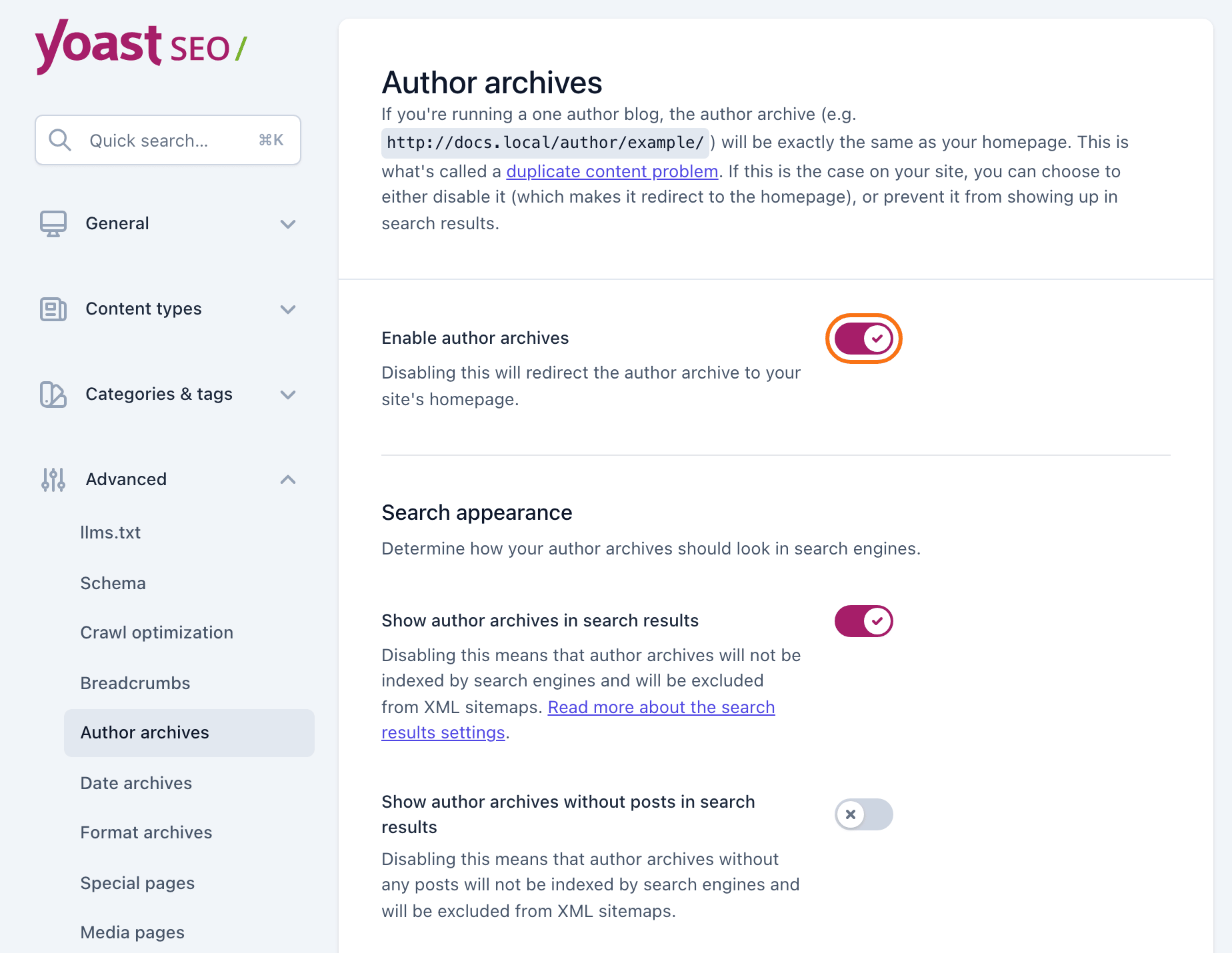
Leave Show author archives in search results as it is. It decides whether Google lists the author pages, not whether they open.
Rank Math
-
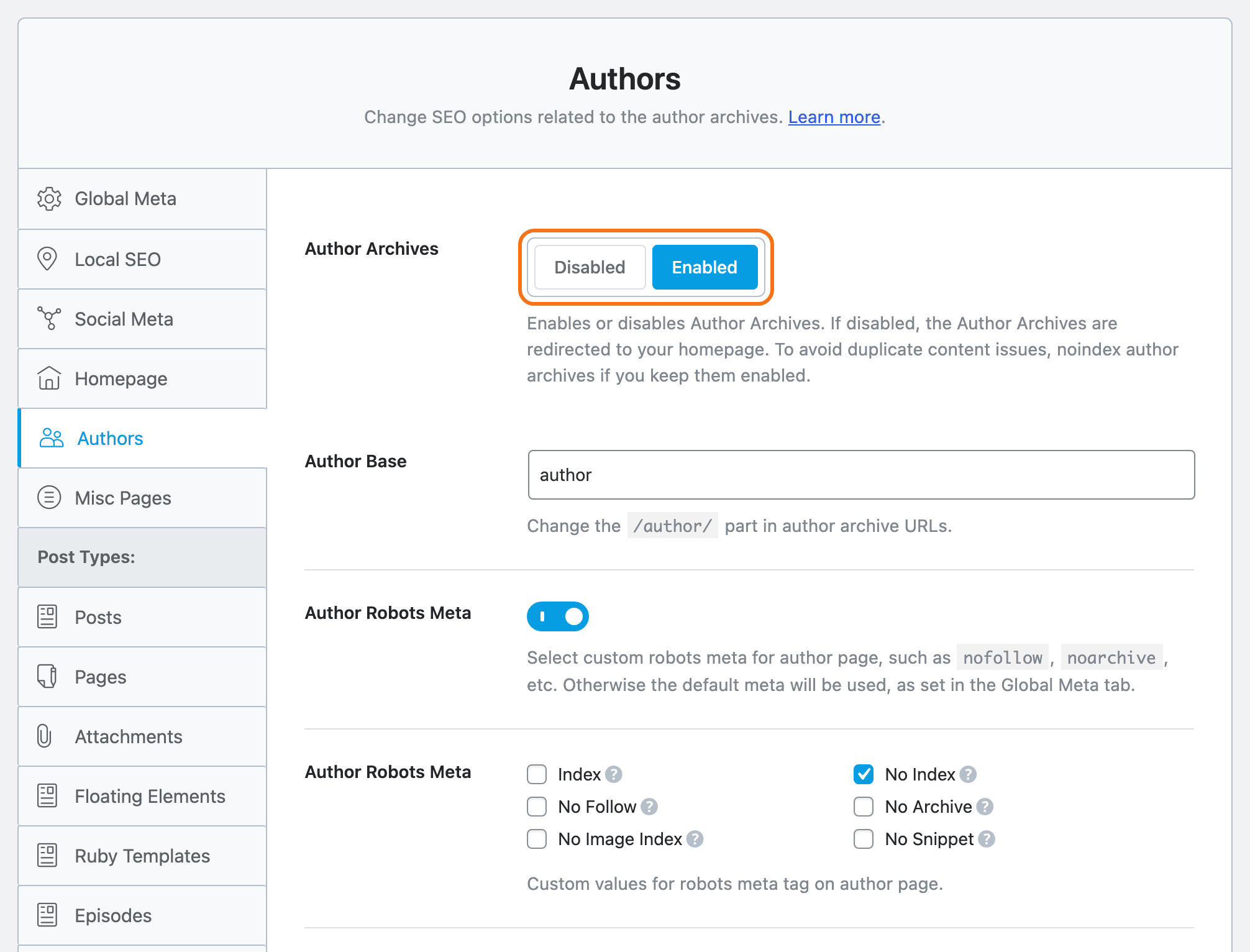
Go to Rank Math SEO > Titles & Meta.
-
Click the Authors tab.
-
Set Author Archives to Enabled.
-
Click Save Changes.
No Titles & Meta menu? Rank Math is in Easy Mode. Go to Rank Math SEO > Dashboard, click Advanced Mode at the top, and come back. The steps for that are in How to Enable and Disable Breadcrumb.
With author archives back on, Rank Math also shows the author settings below the switch, such as Author Base and Author Robots Meta. For most sites, leave them as they are. Rank Math ticks No Index there by default. That keeps author pages out of Google, but they still open for your readers.
Check the result
Open a post and click the author's name. You should see the author page, with the header and posts set at Theme Options > Author Page (Author Page).
Still on the homepage? Browsers remember a 301 redirect. Test in a private window, and clear your cache plugin's cache if you use one.
Using a different SEO plugin? Look in its archive or title settings for an author archive switch. Turn it on the same way.
Still stuck? Open a ticket with the address of an author page that redirects and the SEO plugin you use.
Did this answer your question?