How to Remove the Post List Below the Post Content
Every post ends with a short list of post titles, each with a + in front, right above Tagged. The Foxiz demo has the same list.
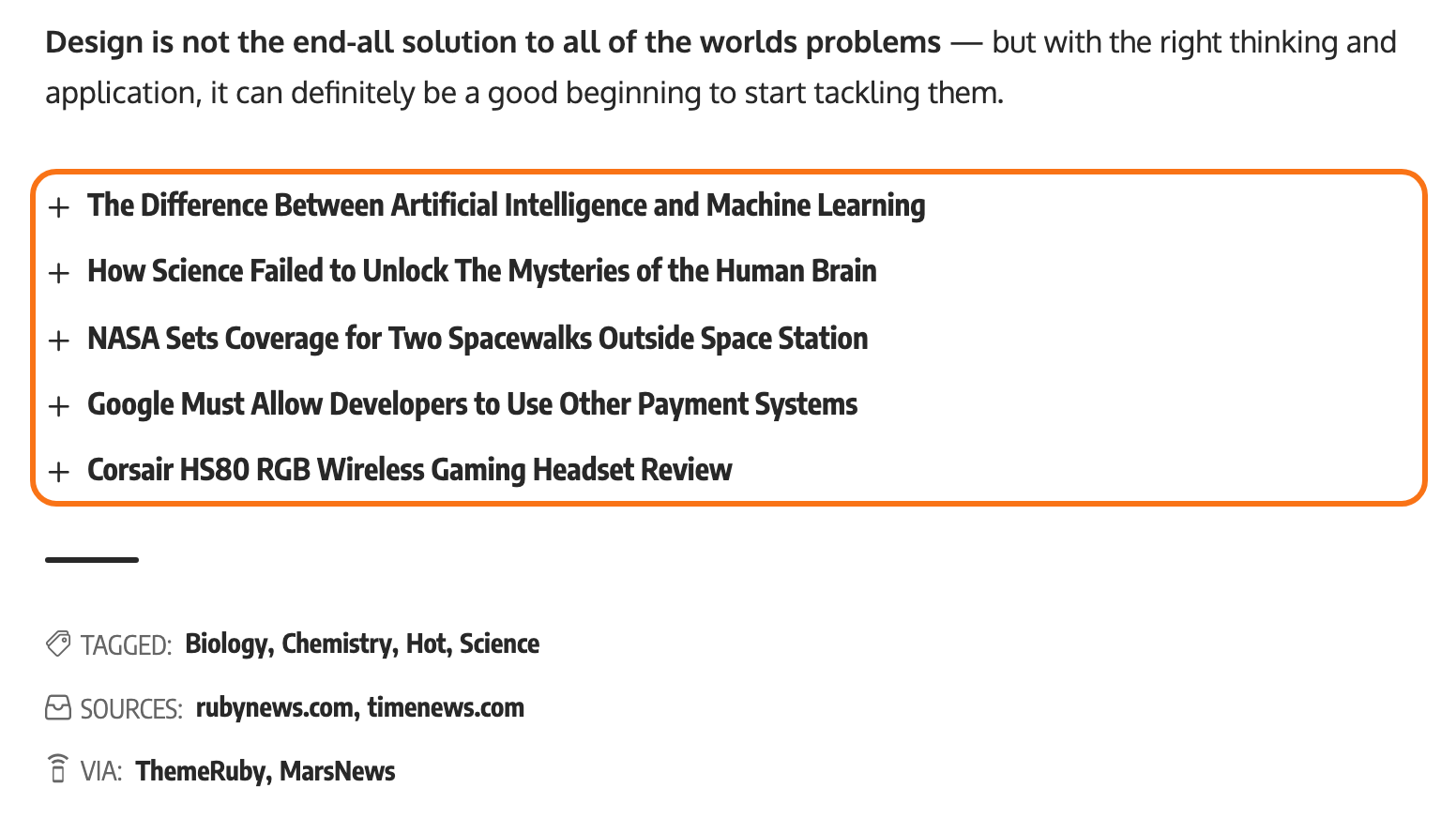
This list is not a theme setting. It is a Text widget in the Single Content - Bottom Area, holding the [ruby_related] shortcode. Whatever sits in that area shows on every post, so you remove it once, on the Widgets screen.
Remove it from every post
-
Go to Appearance > Widgets.
-
Open the Single Content - Bottom Area box.
-
Click the Text widget to open it. Its text box holds
[ruby_related ...].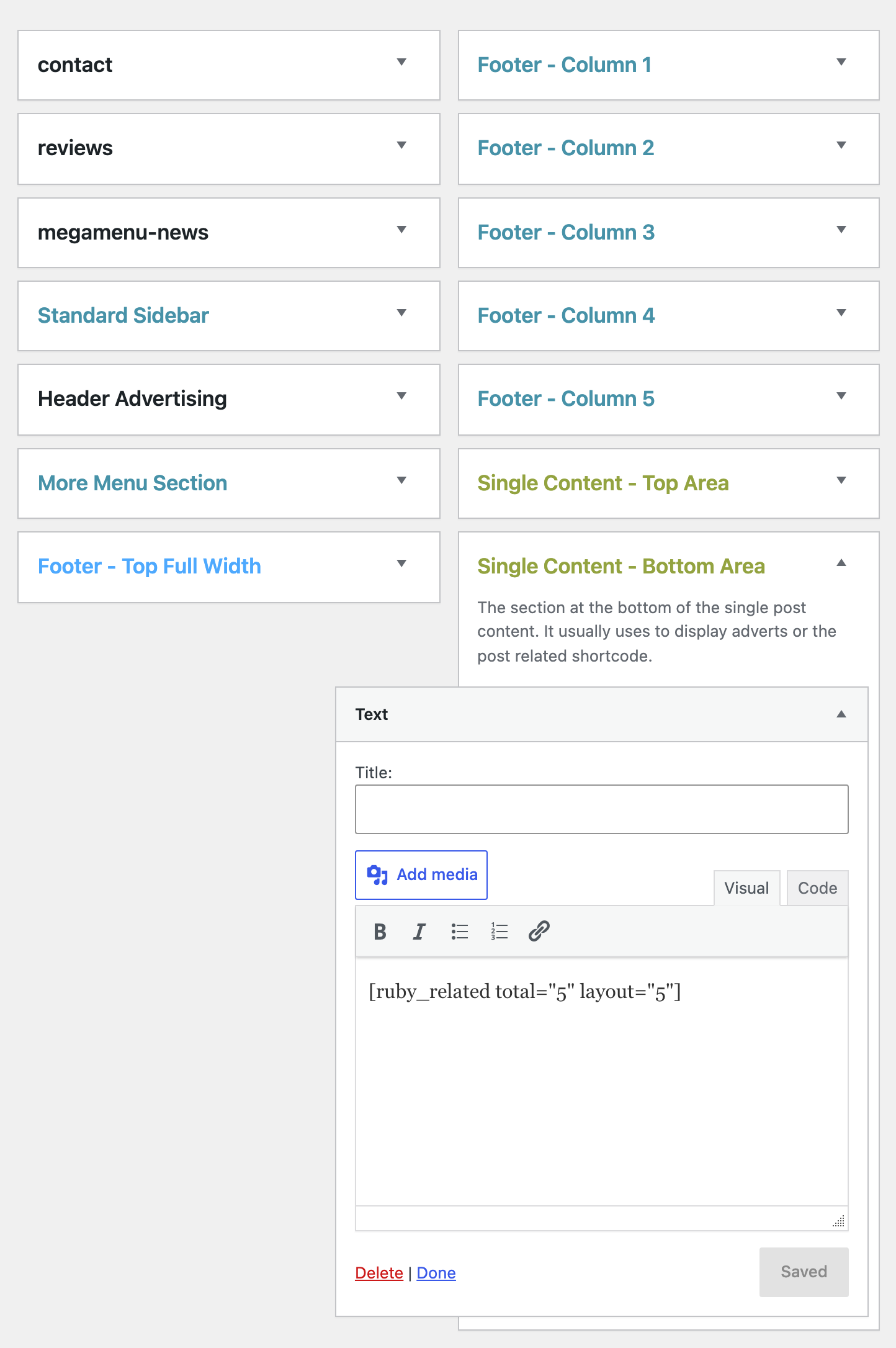
-
Click Delete at the bottom of the widget.
Open a post to check. With the area empty, nothing shows there and no gap is left.
Want to keep the widget for later? Drag it into Inactive Widgets instead of deleting it. It keeps its shortcode, and you can drag it back any time.
Your Widgets screen shows blocks instead of boxes? Widget Block Editor is on at Theme Options > Sidebars. It is off by default. Select the block in Single Content - Bottom Area and remove it from the block toolbar's menu.
Hide it on one post only
To keep the list on most posts and hide it on a few, leave the widget where it is. On each of those posts:
- Edit the post and open Single Post Settings in the Meta Boxes bar at the bottom of the editor.
- Open the Widgets & Ads tab.
- Set Bottom Content - Widgets Area to Disable.
- Update the post.
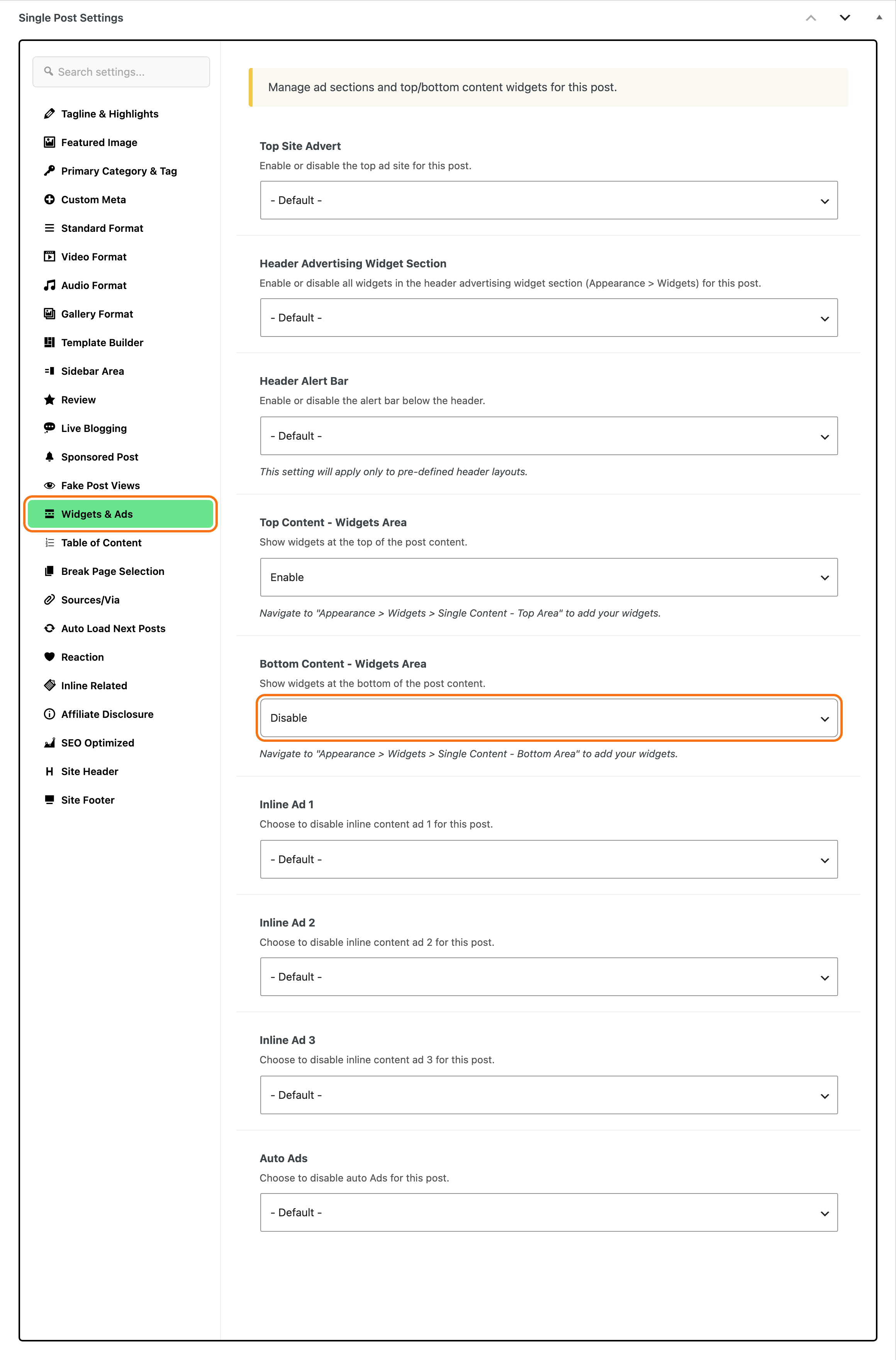
This also hides any advert you placed in the same area on that post.
Still a related list further down?
That one is a different feature: the Related section at the foot of the post, set in Theme Options > Single Post > Related & Popular. To turn it off, see Related & Popular Box.
For everything the two widget areas around the post content can hold, see How to Add Widgets Before and After the Post Content. For the Widgets screen itself, see Editing Sidebars and Widgets.
Did this answer your question?