An Elementor Block Shows No Posts
A Foxiz block on your homepage is empty. Logged in, you see No found posts, Please add a new post for this query or change the block settings: followed by an Edit Page link. Your visitors see nothing at all.

The block is working. Its settings ask for posts that your site does not have. Click Edit Page, click the block, and check these on its Content tab, in this order.
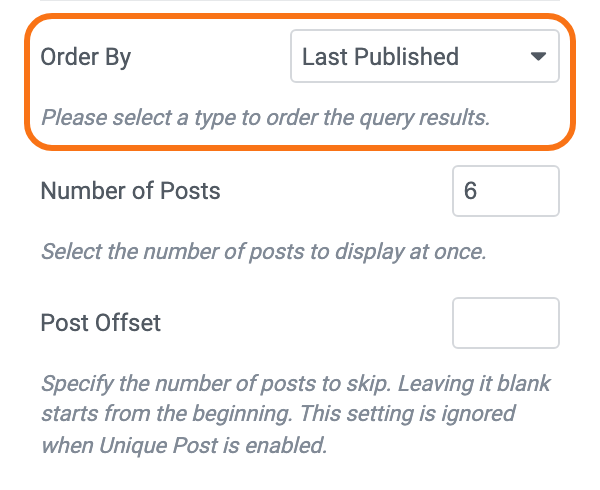
1. Order By picks only some posts
Most Order By choices sort every post. A few also leave out posts, and on a new site they often leave out all of them.
| Order By | Shows only | Empty when |
|---|---|---|
| Popular Published Last 24 Hours to Popular Published Last Year | posts published in that window | nothing was published in it. Demo posts and a site that posts weekly empty the short windows |
| Top Review (All Time), Latest Review and the Top Review Published choices | review posts | the site has no review post yet |
| Latest Sponsored | sponsored posts | no post is marked sponsored |
| Last Published Live and the other Live choices | live blog posts | no post is a live blog |
| Random last 3 Days to Random last 12 Months | posts published in that window | nothing was published in it |
For most blocks, Last Published is the safe choice: it shows your newest posts and never runs empty while the site has any. For a "most read" block, use Popular (by Post Views), which sorts all posts and needs Light Views Counter to count views.
2. The filters together match nothing
Every filter you fill in narrows the list further. A post has to pass all of them. Look in Query Settings for:
- Category Filter and Tags Slug Filter both set: the block shows only posts that are in that category and carry that tag. Clear one of them.
- Tags Slug Filter holding a tag name: it takes slugs, the lower case form in the tag's address (
travel-tips, notTravel Tips). See How to Find Tags Slug. - Post Format set to Video, Audio or Gallery on a site with no posts of that format. Set it back to - All -.
- Post IDs Filter holding IDs of posts that were deleted or are still drafts.
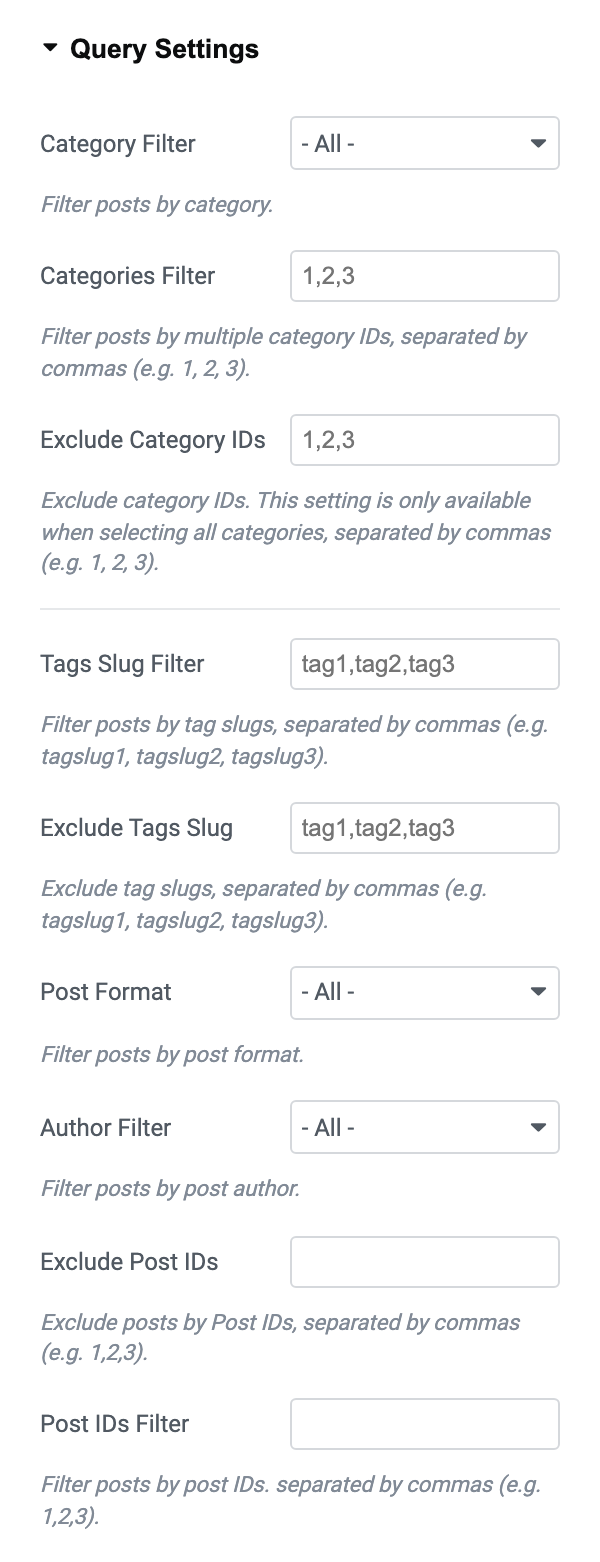
The fields and what each one does are in How to Set Up Query Filters in Elementor Blocks.
3. Post Offset skips past every post
Post Offset skips that many posts before the block starts. With an offset of 5 and only 4 matching posts, nothing is left to show. Lower it, or clear it.
4. Unique Post leaves nothing over
With Unique Post on, a block skips every post a block above it has already shown. If the blocks above already used all the posts in this block's category, this block is empty.
Turn Unique Post off on this block, or add more posts to the category. See Unique Post, Remove Duplicate posts.
5. A post type or taxonomy is set
In Query for Post Type & Taxonomies, a Custom Post Type other than posts switches the category filters off. Check that:
- the post type has published items;
- Define Taxonomy and Term Slugs name a taxonomy and terms that exist for it.
See How to Display Custom Post Types and Taxonomy in Elementor Blocks.
Still empty
The block may be fine and a cache is showing an old copy of the page. Clear it as shown in Changes Not Showing on the Site.
Still stuck? Open a ticket with the page's address and a screenshot of the block's Query Settings, so support can see what it asks for.
Did this answer your question?