Every Setting in the Like & Reaction Panel
Theme Options > Like & Reaction holds seven settings in two groups, and between them they govern both of the theme's opinion counters: the thumbs up and thumbs down pair in the entry meta line, and the row of faces at the end of a single post. A notice at the top of the panel points that out, because the buttons themselves are switched on somewhere else.
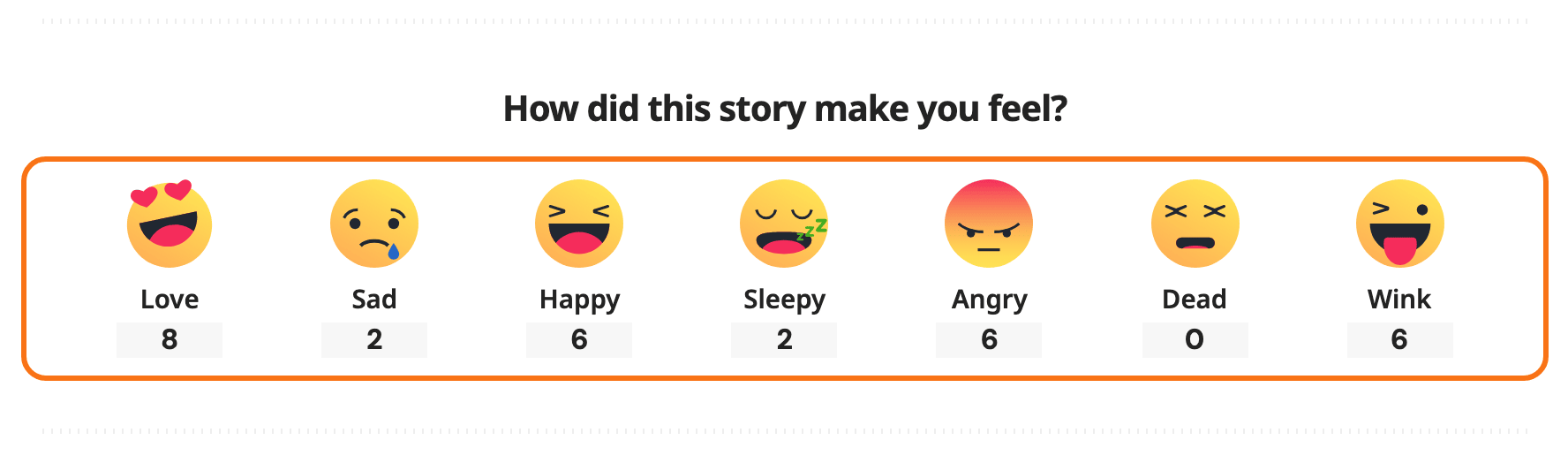
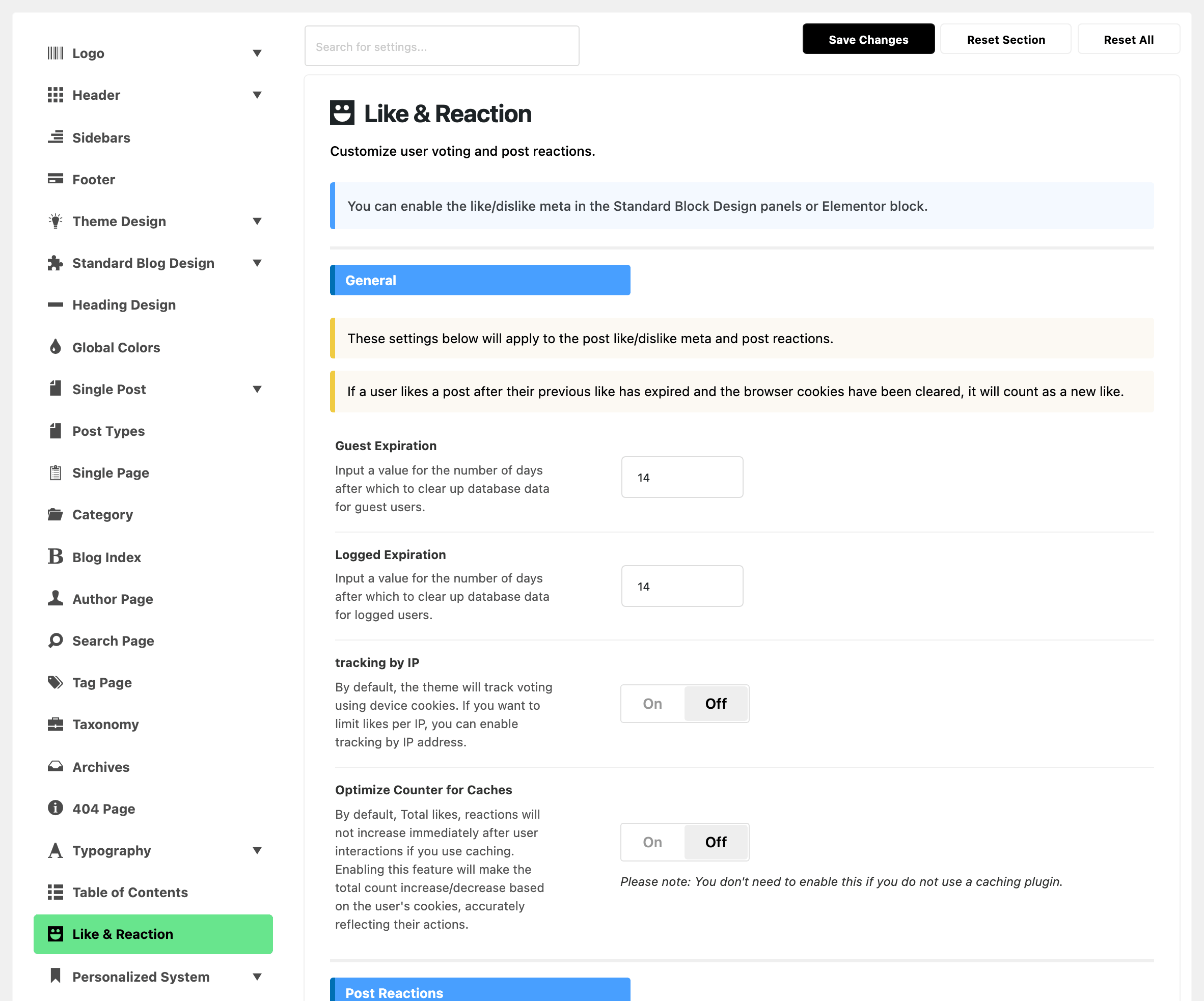
- General applies to both counters: how long a reader is held to one vote, how they are recognised, and how the totals behave on a cached site.
- Post Reactions is the row of faces on its own: whether it is drawn, what it is headed, and which faces it holds.
The thumbs up and thumbs down pair is not switched on here. It is an entry meta tag you add wherever you want it: see How to Add Like and Dislike Buttons. The faces are switched on in the second group below, and How to Set Up Post Reactions walks that job end to end.

General
Four settings, and a notice above them spelling out the rule they all serve: a reader gets one vote per post, and once their previous vote has expired and their browser has been cleared, a fresh vote counts as a new one.
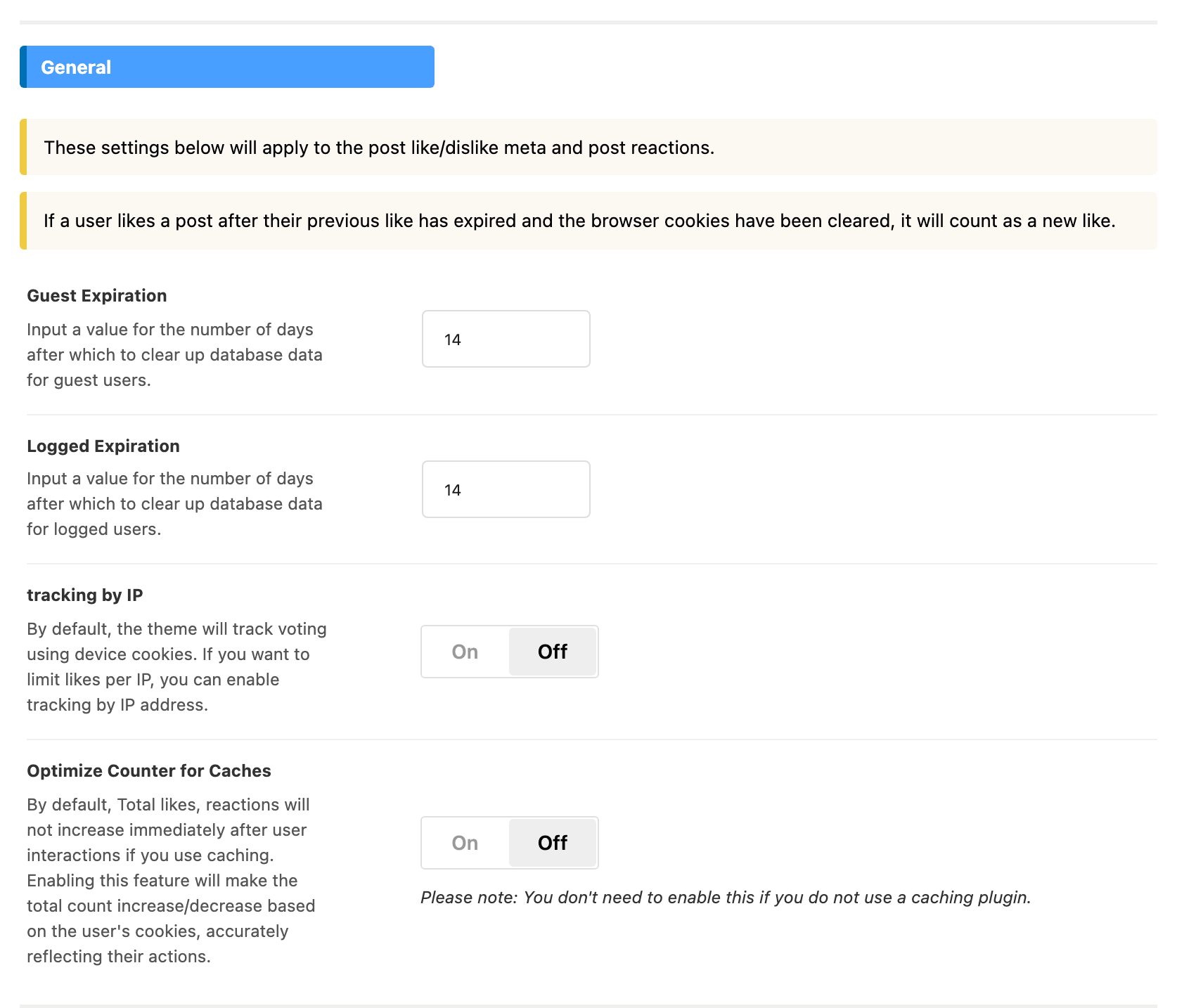
- Guest Expiration is a number of days for readers who are not signed in: how long one of them is held to a single vote on a post. Its default is 14, and it takes digits only.
- Logged Expiration is the same number for readers who are signed in. Its default is 14, and it takes digits only.
- tracking by IP decides how a signed out reader is recognised: by their browser, or by their network address. Off by default.
- Optimize Counter for Caches makes the totals a reader sees include their own vote on a cached site. Off by default.
Guest Expiration and Logged Expiration
What expires is the record of who voted, not the count. Once a day Foxiz removes the reader records older than the number of days you set, one sweep for signed out readers using Guest Expiration and one for signed in readers using Logged Expiration. Every total on every post is left exactly as it was.
So the number answers one question: how long is a reader held to a single vote on a given post. At 14 days someone who loved an article a fortnight ago is free to love it again, and that second love is counted. Set it to 365 and a vote holds for a year; set it to 3 and readers can come back every few days.
The other thing the number buys you is a smaller database. Every vote is a row in a table, and these two values are what keeps that table from growing forever on a busy site. A high number and a lot of traffic is the combination to think about.
Leaving either field blank, or typing 0 in it, falls back to 14 days rather than switching the sweep off. To keep reader records for much longer, type a much larger number.
The reader's own browser is a separate matter. It remembers which face or thumb they picked, and it keeps that memory regardless of these two values, which is why the panel's notice mentions clearing the browser. A reader whose record has expired but whose browser still remembers will see their old choice still highlighted until they pick a different one.
tracking by IP
Off by default. It decides how a signed out reader is recognised.
Off, each reader is recognised by an anonymous identifier their own browser holds, which is what the panel means by device cookies. One person voting from a phone and again from a laptop counts twice, because those are two browsers. Clearing site data and coming back also counts again.
On, a signed out reader is recognised by their network address instead, so one address gets one vote per post however many browsers it uses. That closes the clear your cookies loophole, and it has a real cost: a household, an office, a school or a mobile network where many people share one address now shares a single vote per post. The second person to click gets no count.
Signed in readers are unaffected either way. They are always matched to their account, which is the tightest identification available and needs no address.
Address detection is proxy aware: Cloudflare's own header and the usual forwarding headers are read before the direct connection, so a site behind a content delivery network still sees the reader rather than the network.
Leave it off for a general audience site, where double counting from a second device matters less than a reader finding their click was not counted. Turn it on where the numbers carry weight, for a poll or an editorial ranking.
Optimize Counter for Caches
Off by default, and the field says under itself that you do not need it without a caching plugin. That is accurate: on a site with no page cache, turning it on changes nothing a reader would notice.
On a site with one, this is the setting that stops your counters looking broken. A page cache serves readers a copy of the page built at some earlier moment, totals included. A reader clicks a face, watches the number go up, then moves to the next article and comes back, and the number is back to what it was. Their vote was recorded; the page they were handed is simply older than their click.
With the switch on, Foxiz corrects that on the reader's own screen. After the page loads, the choice their browser remembers is marked as chosen and its total is raised by one, so the number they see includes them. For the faces that happens every time.
For the thumbs it is more careful. The total is raised only while the page still shows the number from before the reader's vote, so a page built after the vote is not counted twice, and a shortened total such as 1.2K is left as it is. Signed in readers get no adjustment at all, because their pages normally skip the cache and already include their vote, so test it from a private window rather than from your admin session.
Two things it does not do, and both are worth knowing before you promise a live counter:
- It adds the reader's own vote and nothing else. Other people's votes cast since the page was cached are still missing from the number until the cache is refreshed.
- It changes what one reader sees, not what is stored. The stored total is right either way.
Leave it off if you run no page cache. Turn it on the same day you install one.
Post Reactions
Three settings, and a notice saying where the result lands: at the end of the single post content.
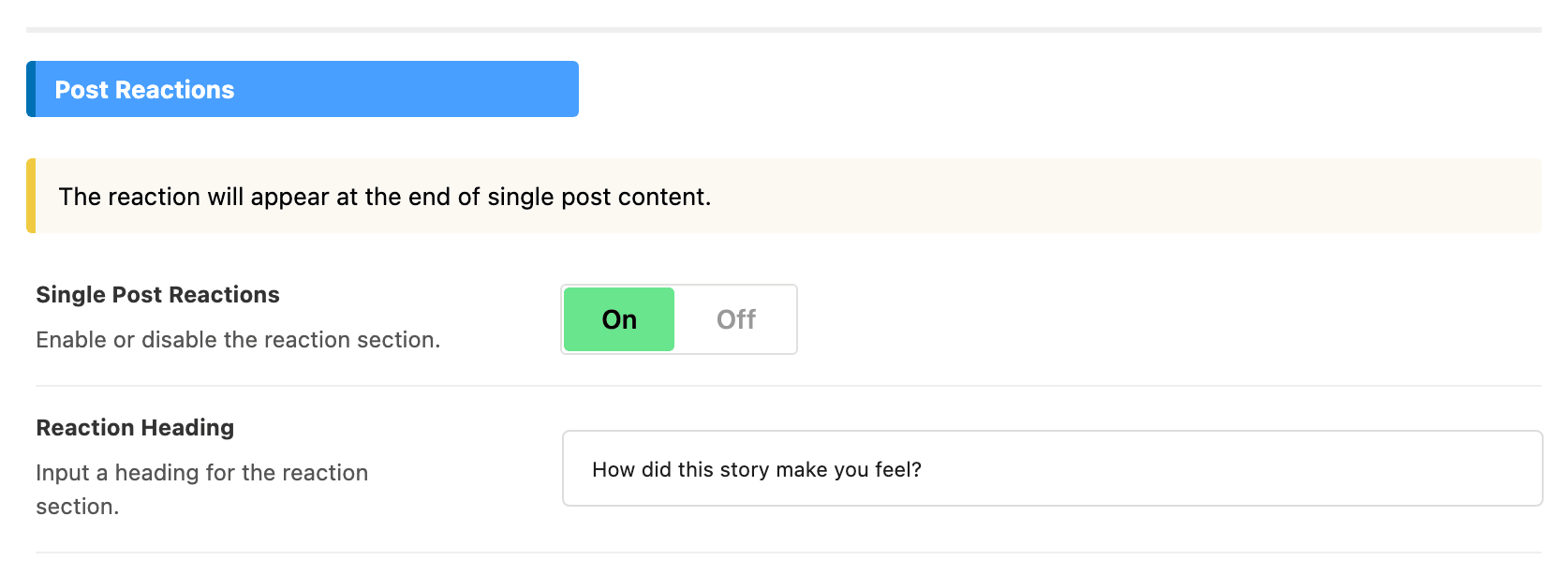
- Single Post Reactions draws the row of faces. It is off by default, and the two fields below it are hidden until it is on.
- Reaction Heading is the line above the faces. It is empty by default and shows "What do you think?" as placeholder text, which is also the wording a reader gets while you leave it empty.
- Reaction Items is two lists you drag between. The left one holds what readers see, in the order they see it. By default seven faces are enabled and five are disabled:
| Enabled by default, in this order | Disabled by default |
|---|---|
| Love | Cry |
| Sad | Embarrass |
| Happy | Joy |
| Sleepy | Shy |
| Angry | Surprise |
| Dead | |
| Wink |
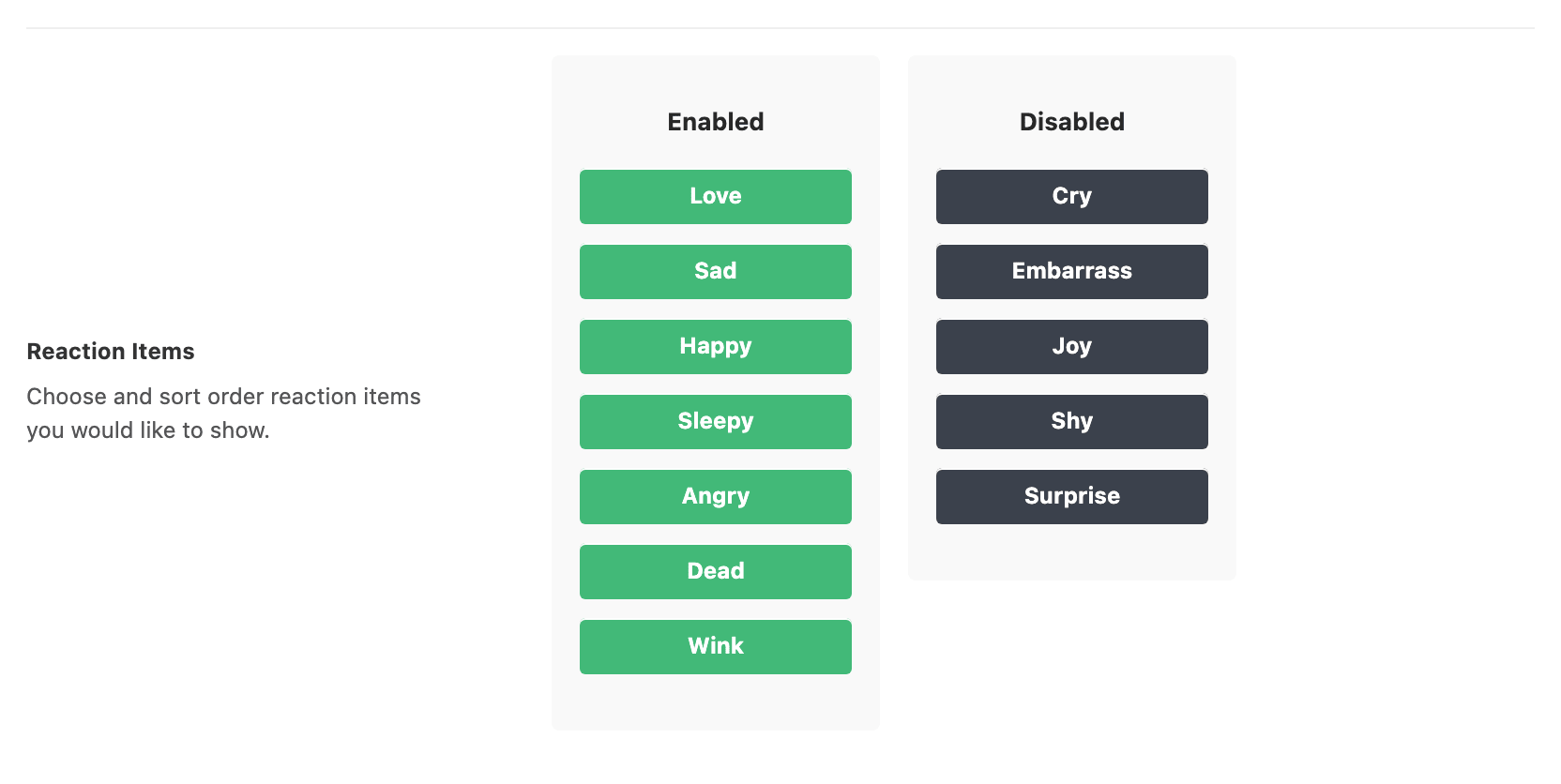
Single Post Reactions is site wide and one post can overrule it, from Single Post Settings > Reaction > User Reaction on the post itself. On that post, Enable or Disable wins over this switch. - Default -, where every post starts, follows this switch.
The row runs on posts only, never on pages or other post types, and never on AMP. To place it anywhere else, use the shortcode covered in How to Set Up Post Reactions.
Where the counts are kept
Two separate things are stored, and it helps to know which is which when you are moving a site.
The totals sit on each post, the same way a post's own fields do. They travel with the post through an export and an import, they are what a listing prints without any lookup, and deleting a post removes its totals with it. Reaction totals are kept as one set per post, and the thumbs up and thumbs down totals as two more.
The record of who voted sits in a table of its own in your database, which Foxiz creates for you and which also holds bookmarks and reading history. That is the table the two expiry values above prune. Deleting a post clears its rows from there too.
Nothing about either is stored in the reader's account, so a reader who deletes their account does not take the counts with them.
What a demo import does to these settings
Running a demo import with Theme Options ticked replaces your whole Theme Options record with the demo's, which includes every setting on this page. Your expiry numbers, your tracking by IP choice, your heading and your chosen faces all become the demo's.
Clear the Theme Options checkbox before you import if you only want the demo's content and layout. It is one of five you can tick or clear on the first screen of the importer.
Your counts are safer. The importer only removes posts it imported itself, so the totals on your own posts are untouched, and it does not go near the table holding who voted. Pure Installation, the last checkbox on that screen, clears previously imported content rather than yours.
Votes are also subject to the site's request cap. Theme Options > Performance > Rate Limits > Write Operations Limit allows 30 write requests a minute from one address by default, and a vote is one of those. A reader working through a long page of posts clicking every thumb can reach it; a normal reader cannot.
Did this answer your question?