Extra Features
The lower half of the Theme Options list holds one tab per feature: the table of contents, reactions, bookmarks, social links, dark mode, ads, login, and the tabs for the plugins Foxiz works with. These docs group them here. In the panel they are separate tabs, each with its own name in the list on the left.
Where to find them
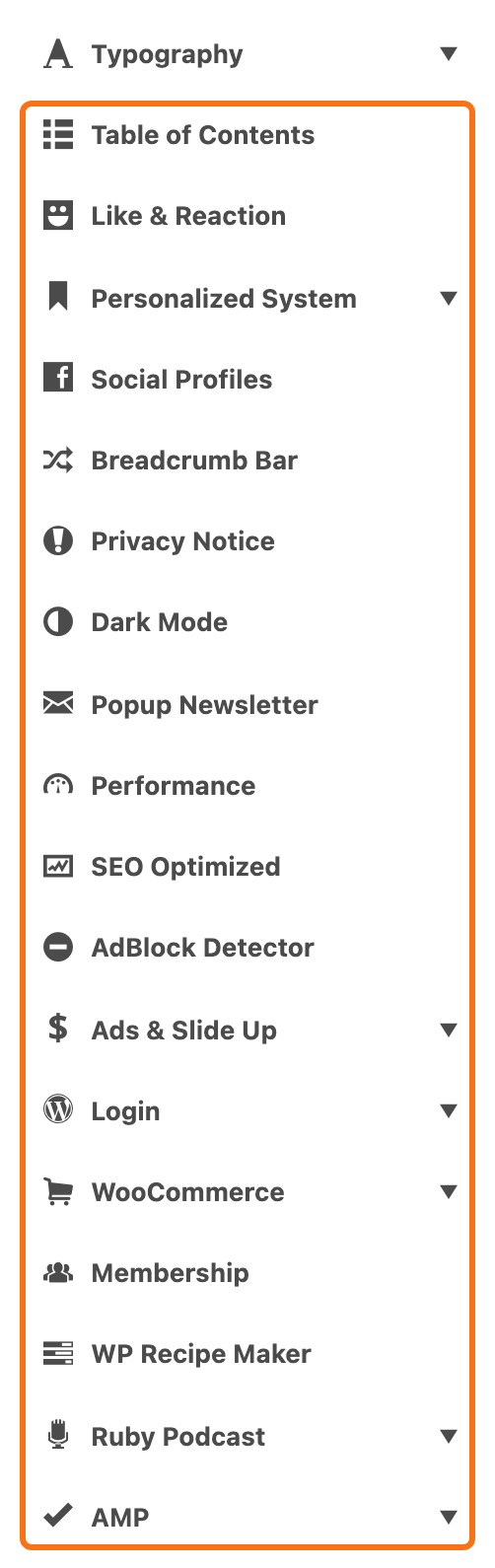
Go to Foxiz > Theme Options and scroll the list on the left past Typography. The tabs below follow in this order. Click a tab to open its settings; a tab with subsections opens a list of them first.
After changing anything, click Save Changes. The button is at the bottom of the panel, and also in the bar that stays at the top while you scroll.
The tabs, in panel order
- Table of Contents: the box of links to a post's headings, and the post types that get it.
- Like & Reaction: like and dislike buttons, and emoji reactions under a post.
- Personalized System: bookmarks, follows, read history and the Reading List page.
- Social Profiles: the addresses of your site's social pages, used by every social icon on the site.
- Breadcrumb Bar: the breadcrumb trail that shows readers where a page sits on the site. It needs Breadcrumb NavXT, Yoast SEO or Rank Math to run. See how to enable and disable breadcrumb.
- Privacy Notice: the cookie and privacy notice bar. See options GDPR, for the privacy notice popup bar.
- Dark Mode: the dark version of the site. See how to enable dark mode feature.
- Popup Newsletter: the sign up form that pops up over the page. See newsletter popup options.
- AdBlock Detector: a popup that asks readers with an ad blocker to turn it off. See how to set up the AdBlock detector.
- Ads & Slide Up: the ad spots the theme places for you, and the slide up section at the foot of the screen.
- Login: where readers sign in: the login screen, your own login pages, or the sign in button and popup in the header.
- WooCommerce: how the shop, product cards and product pages look.
- Membership: the styles and restriction boxes for the Simple WordPress Membership plugin. See adding a membership.
- WP Recipe Maker: how Foxiz styles recipe cards from the WP Recipe Maker plugin.
- Ruby Podcast: podcast episodes and shows.
- AMP: the AMP copy of your pages, its footer and its ads.
Two tabs in the same stretch of the list belong elsewhere in these docs. Performance and SEO Optimized sit between Popup Newsletter and AdBlock Detector; see optimize your site speed with performance options and how to optimize SEO for the theme to avoid duplication with plugins.
Light Views Counter, in Posts, is not a Theme Options tab: it shows view counts from the Light Views Counter plugin through the meta settings of Standard Blog Design and Single Post.
If a tab is missing or holds only a notice
- WooCommerce, Membership and WP Recipe Maker act on their plugins. Until the plugin is active, the tab holds a notice telling you to install it.
- AMP shows a warning above its settings until the AMP plugin is active.
Did this answer your question?