Every Setting in the Notification Panel
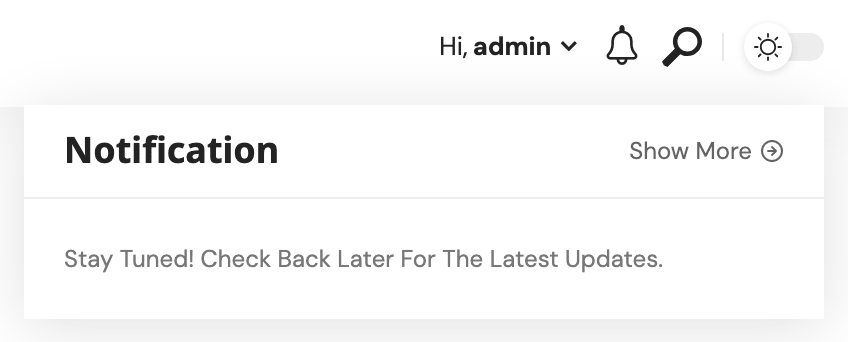
Theme Options > Header > Notification adds a bell icon to the desktop header. Clicking it opens a dropdown of your most recent posts, and a small counter on the bell tells a returning visitor how many have arrived since they last opened it. The panel holds six settings, and they apply to the five predefined header layouts.
If your header is a Ruby Template, add the Foxiz - Notification Icon block to it instead. Its Destination Link does the job of Custom Destination below; the time window, refresh interval and icon still come from this panel.
The six settings
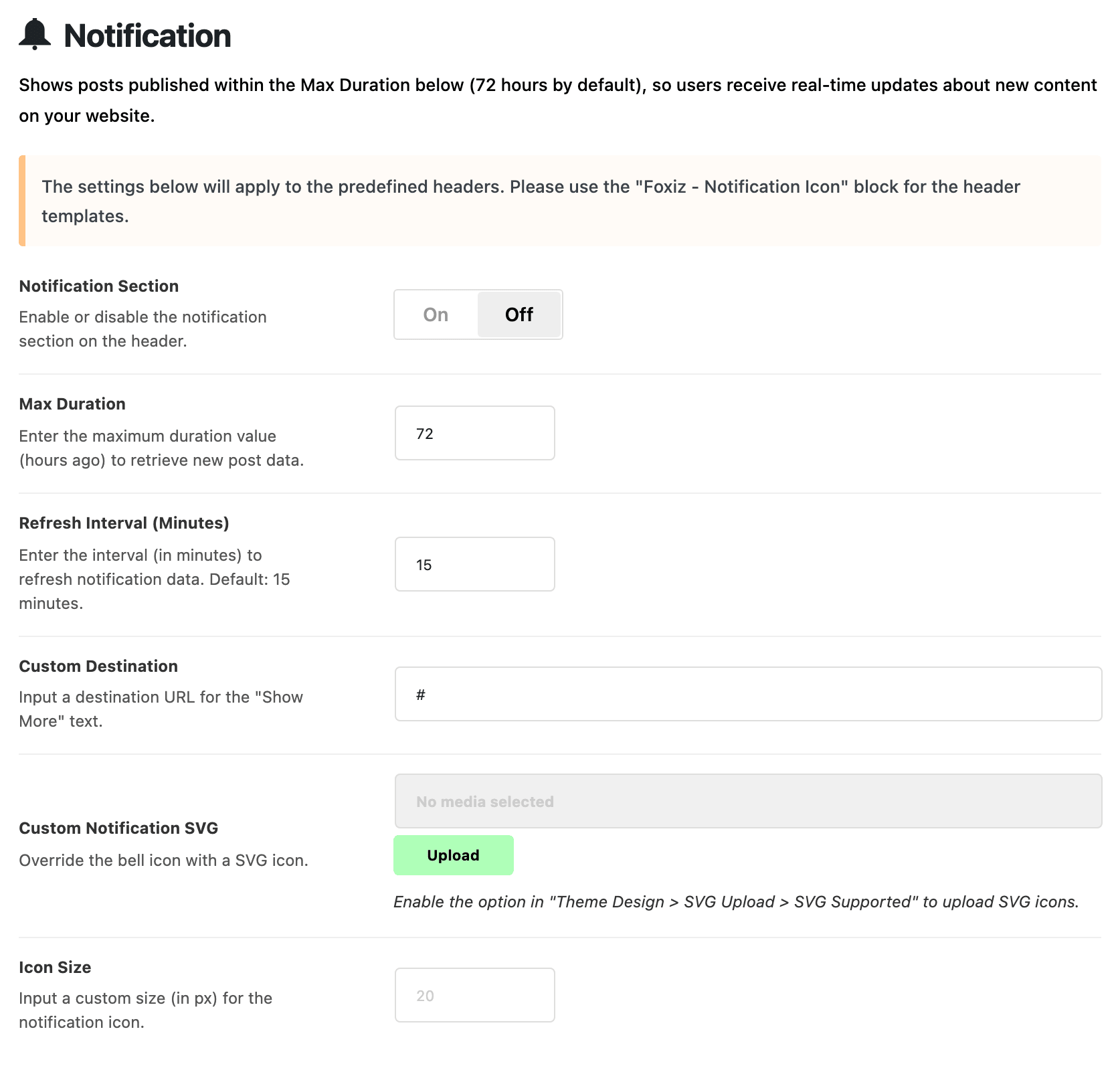
- Notification Section shows the bell. It is off by default, so nothing below does anything until you turn it on. The bell is never shown on AMP pages.
- Max Duration is how far back the list reaches, in hours. Its default is 72, so the dropdown lists posts published in the last three days, up to nine of them. Blank or anything under 1 also means 72. If nothing was published in that window, the dropdown says "Stay Tuned! Check back later for the latest updates."
- Refresh Interval (Minutes) is how often a visitor's browser asks for the latest list while they browse. Its default is 15; blank or 0 also means 15.
- Custom Destination is where the "Show More" link at the top of the dropdown goes, typically your blog or latest posts page. Its default is
#, which goes nowhere, so replace it; clear it and the link is not printed at all. - Custom Notification SVG replaces the bell with an icon you upload. An SVG takes on the header's text colour. To upload one, turn on SVG Supported at Theme Options > Theme Design > SVG Upload first.
- Icon Size sets the icon's size in pixels, for the bell or your own icon. Blank means 20. On phones it is drawn at 85% of the size you enter.
Why a new post does not show at once
The list is rebuilt the moment a post is published, unpublished or deleted, the moment you save Theme Options, and at least once an hour otherwise. Each visitor's browser then keeps its copy for the Refresh Interval (Minutes) you set. So a new post, or a new Max Duration, reaches a visitor already on the site within that interval.
The counter on the bell only counts posts that arrived after a visitor's first visit, so someone new to the site does not see a number.
The dropdown's text colours follow Mega Menu, Dropdown - Text Color Scheme at Theme Options > Header > Main Menu. Switch it to Light Text if you gave your dropdowns a dark background.
Did this answer your question?