for Header 4
The width, height and colours of the desktop header when your site uses Layout 4 (Border).
Where: Theme Options > Header > for Header 4.
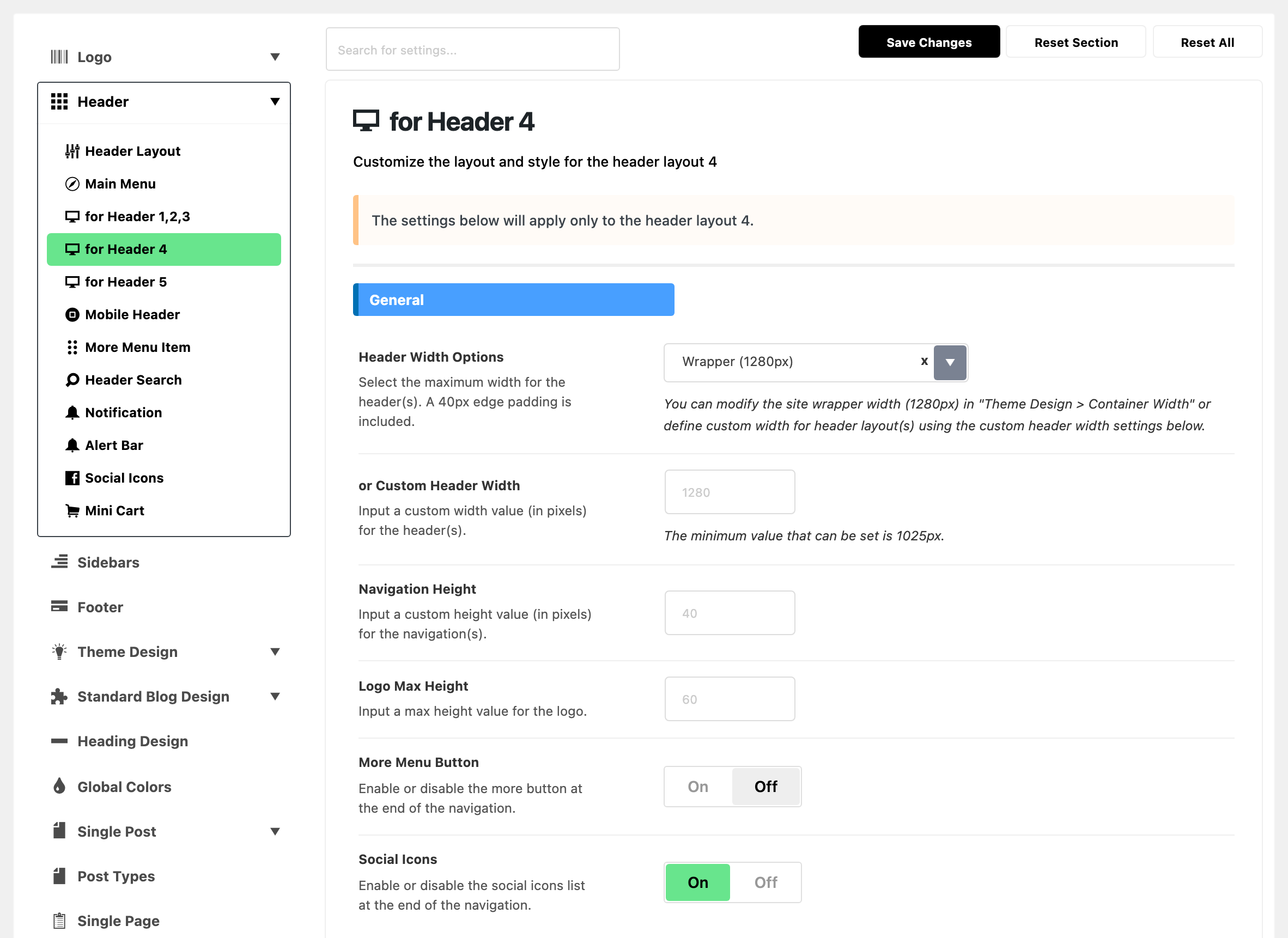
These settings reach layout 4 only. On any other layout, nothing here changes your site. Why each layout has its own subsection, and which one to edit: see for Header 1,2,3.
Layout 4 has two rows:
- the logo row on top, with the logo on the left and, when they are on, the social icons and search on the right;
- the menu bar under it.

Most fields work exactly as in for Header 1,2,3, which explains each one in full. Below, every field of this subsection in panel order, with what is different on layout 4.
General
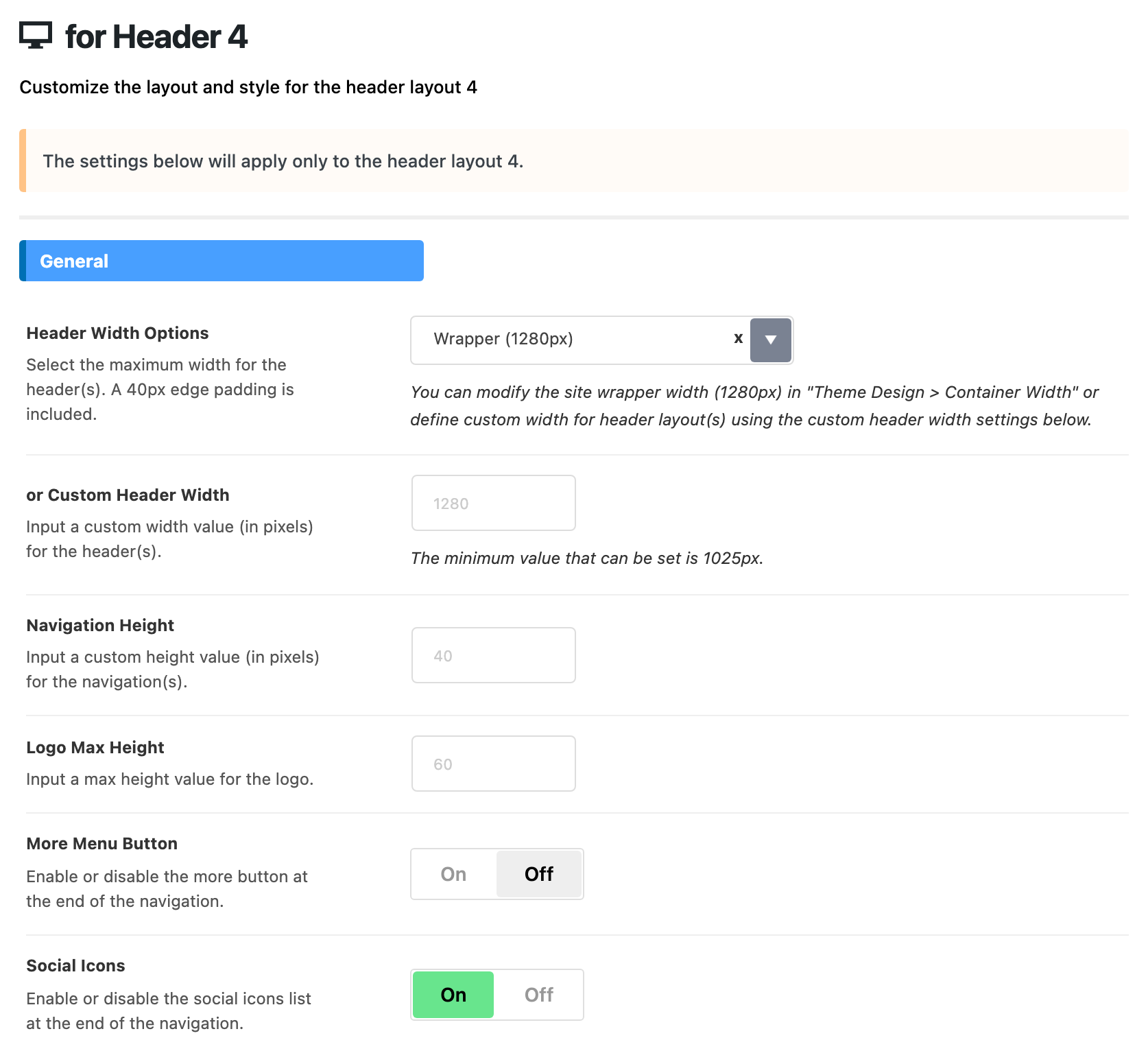
- Header Width Options: the default is Wrapper (1280px), as in Header 1, 2 and 3. Full Width (100%) here spreads the logo row to the screen edges as well as the menu bar.
- or Custom Header Width: same as for Header 1,2,3. Empty by default.
- Navigation Height: the height of the menu bar only, since the logo has its own row. Default: empty, which is 40, not 60.
- Logo Max Height: caps the logo in the top row. Empty by default, which is 60.
- More Menu Button: same as Header 1, 2 and 3. Off by default.
- Social Icons: the icons sit in the logo row, on the right, before the search. On by default.
Menu
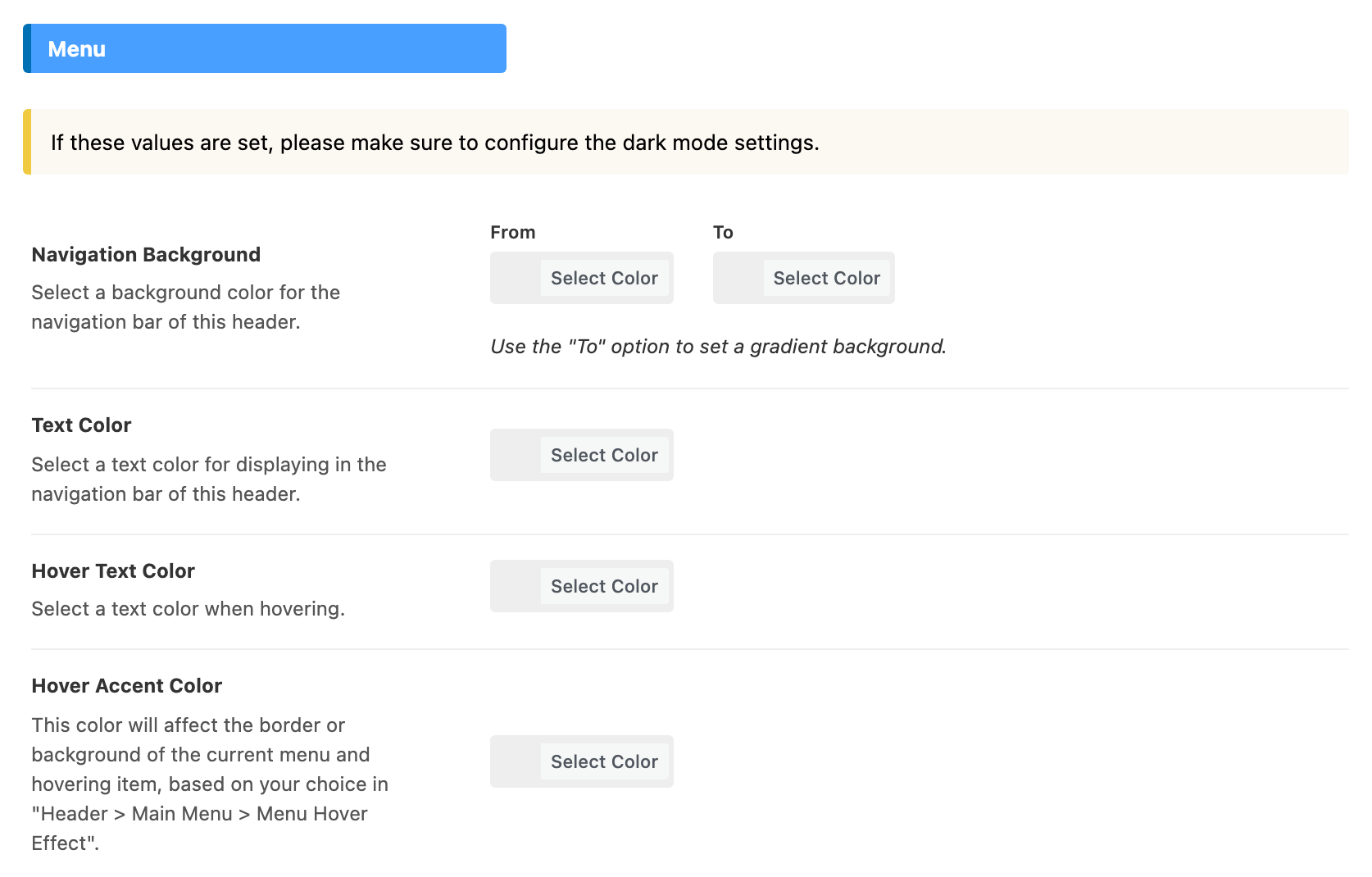
Same four colours as in for Header 1,2,3, for the menu bar of layout 4. All four are empty by default.
- Navigation Background
- Text Color
- Hover Text Color
- Hover Accent Color
Dark Mode - Menu
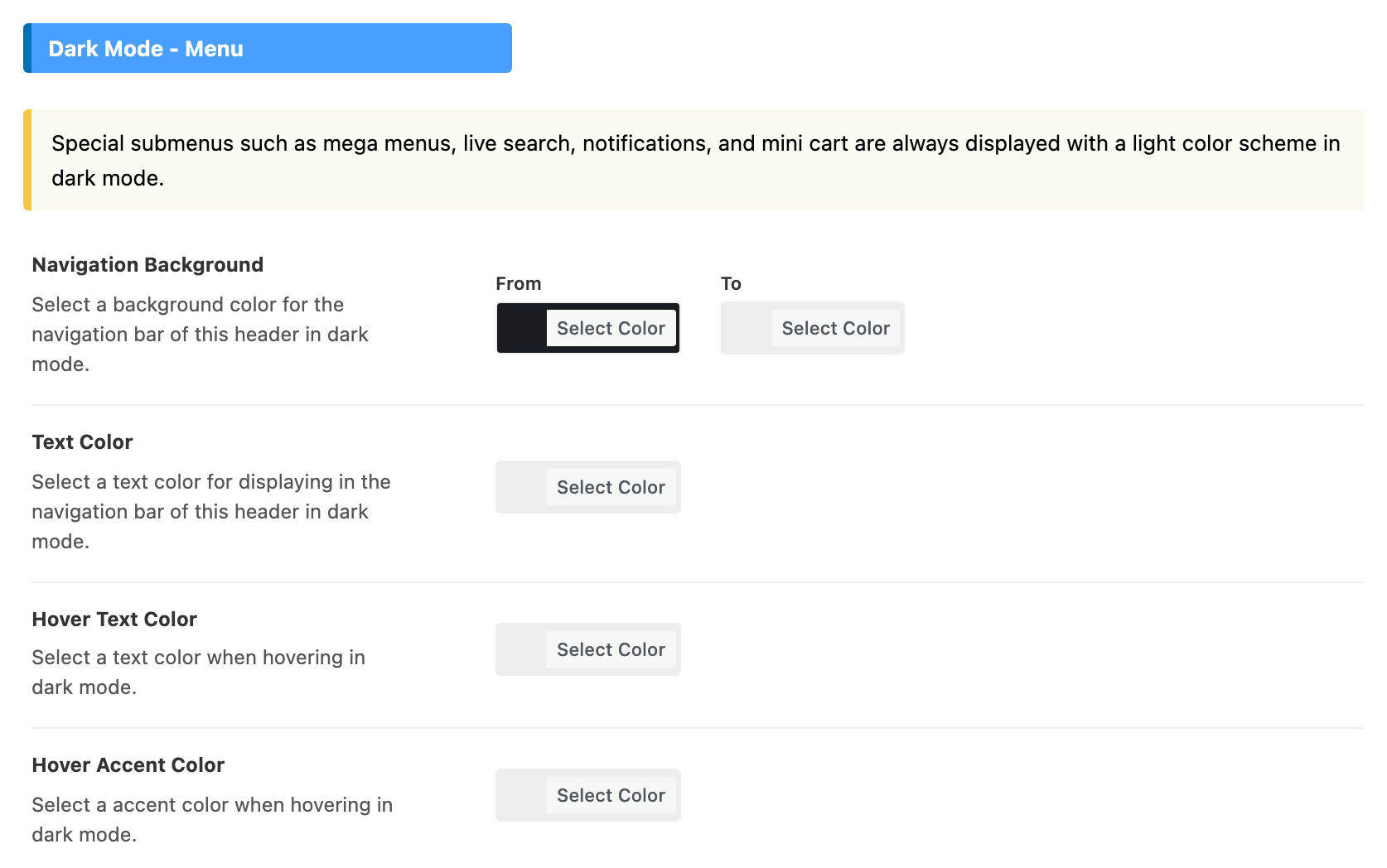
Same four colours as in for Header 1,2,3, for dark mode. One default differs.
- Navigation Background: its default is #191c20, a near black, rather than empty. So in dark mode this bar uses that colour, even when you set a light Navigation Background in Menu.
- Text Color: empty by default.
- Hover Text Color: empty by default.
- Hover Accent Color: empty by default.
Fields only Header 1,2,3 has
Two parts of for Header 1,2,3 have no counterpart here:
- Navigation Style: layout 4 has no style for the edge of its bar. The Navigation Bar Style on a post, a page or an archive panel does not reach it either.
- Transparent Headers: layout 4 has no transparent version.
Related
- for Header 1,2,3: every shared field explained.
- How to config the header: the whole header, from top to bottom.
- Header layouts: a different layout for posts, pages and archives.
- How to add more button menu to the main navigation
- Your site social profiles: the links behind the social icons.
Did this answer your question?