Mini Cart
A cart icon in the header for a WooCommerce shop: on desktop, on phones, with or without the item count and the cart total.
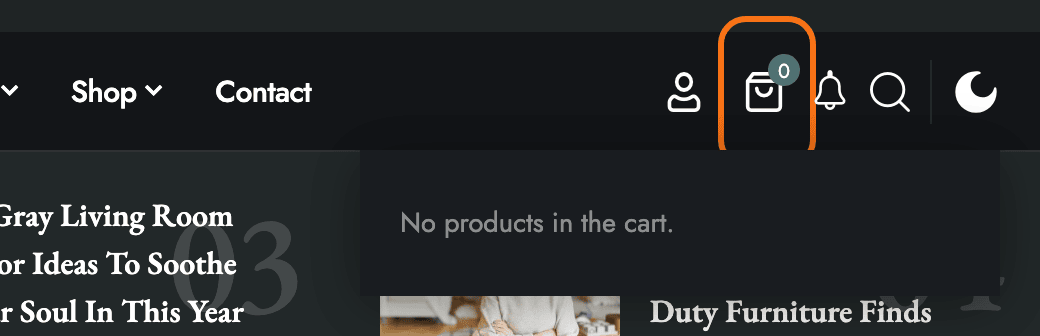
Where: Theme Options > Header > Mini Cart.
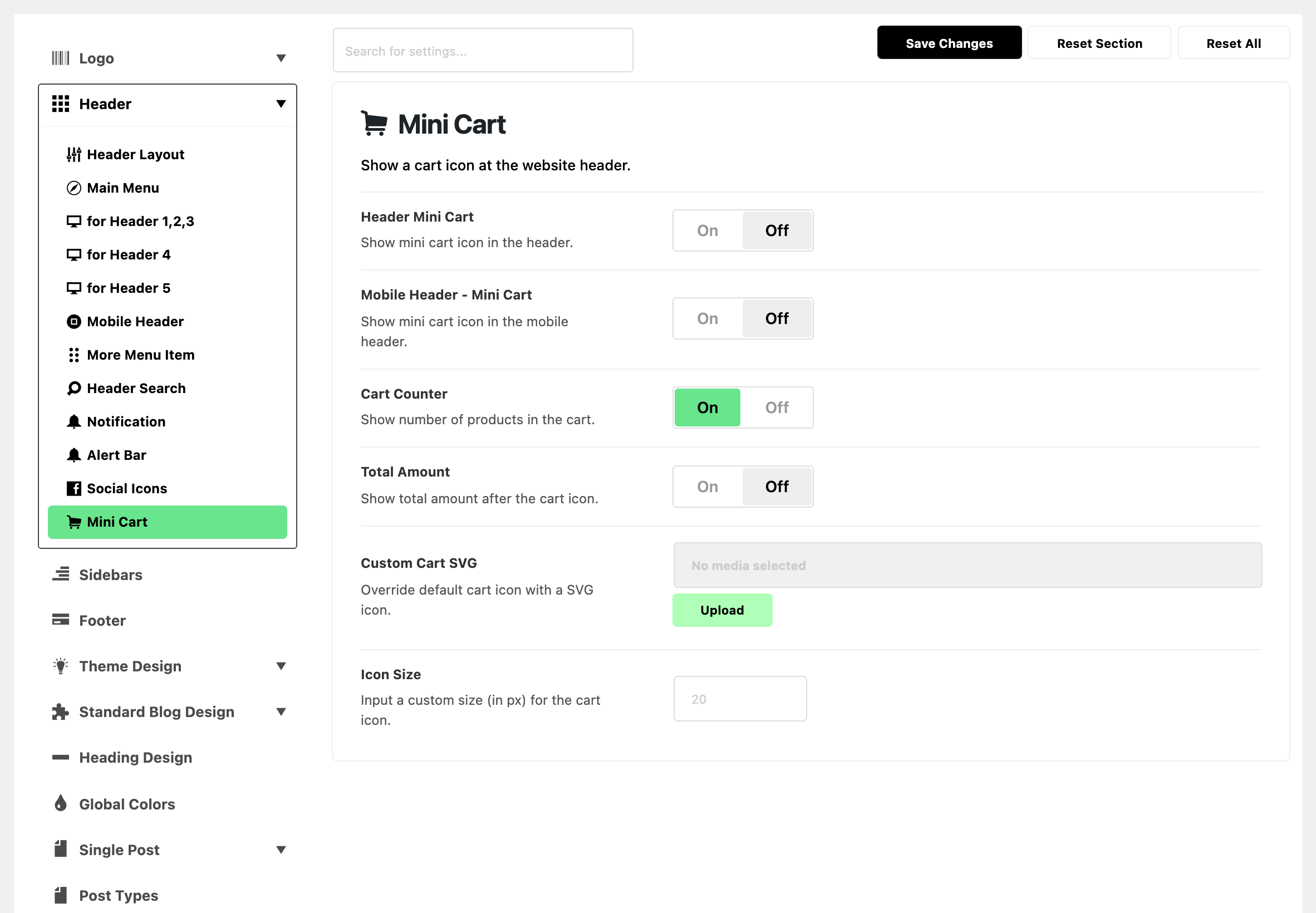
Before WooCommerce is active
Until the WooCommerce plugin is installed and active, this subsection holds only a notice that the plugin is missing, with a link to it. Activate WooCommerce and the six fields below appear.

The six fields
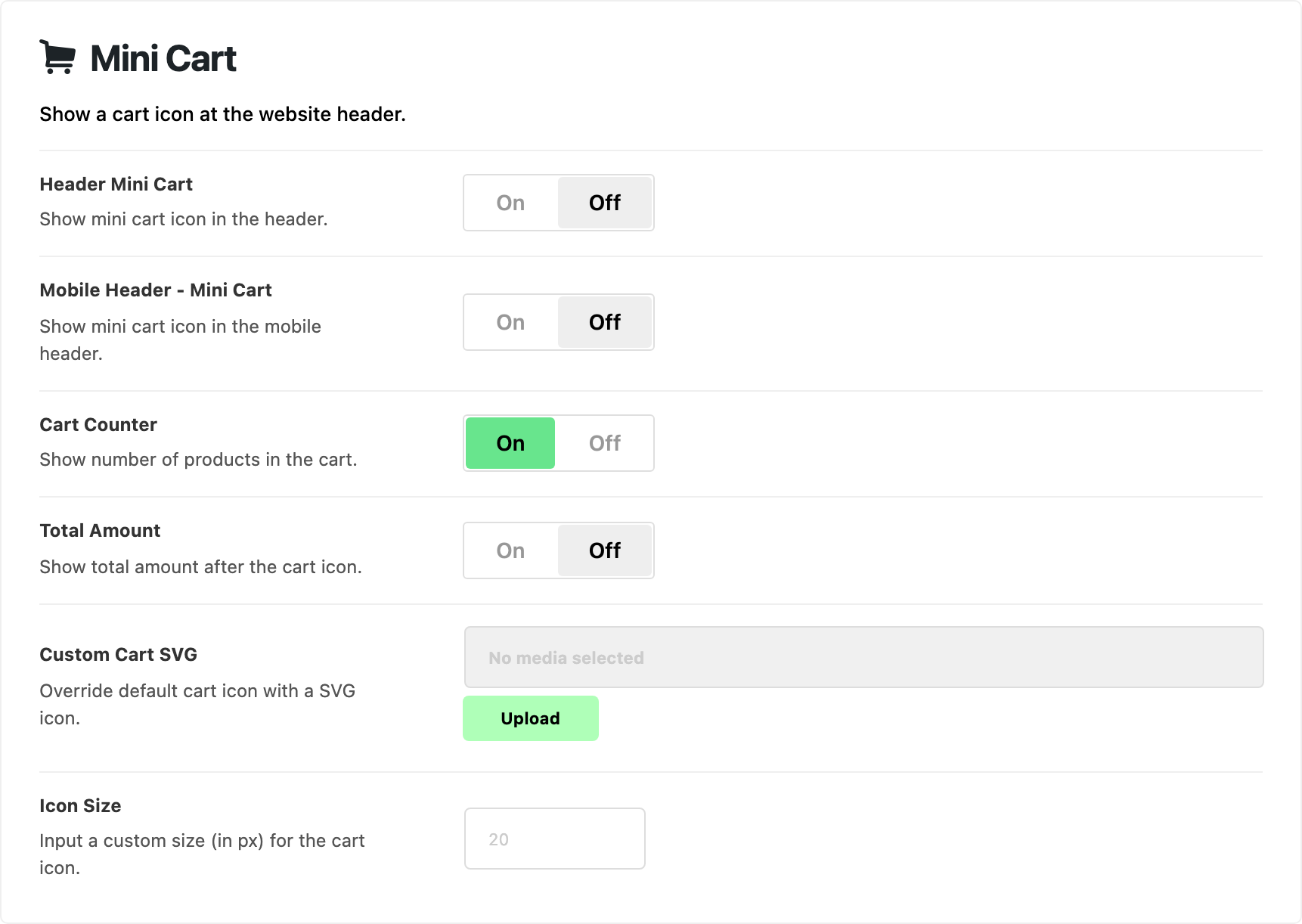
- Header Mini Cart: a cart icon at the right of the desktop header. Off by default.
- A click goes to the cart page. The icon also opens a dropdown that lists what is in the cart.
- It shows in all five predefined layouts, but not on AMP pages.
- Mobile Header - Mini Cart: a cart icon in the mobile header. Off by default. A tap goes straight to the cart page. There is no dropdown on phones.
- Cart Counter: the number of items in the cart, on the icon. On by default. It updates as soon as a product is added, without a page reload.
- Total Amount: the cart subtotal, printed after the icon. Off by default. Turn it on when shoppers should see the running total without opening the cart.
- Custom Cart SVG: your own icon in place of the theme's cart. Default: empty, which keeps the theme's cart icon.
- An SVG takes on the header's text colour, like the icon it replaces. Another image type shows as it is.
- To upload an SVG, turn on SVG Supported in SVG Upload first.
- Icon Size: the size of the cart icon, in pixels. Default: empty, which draws it at 20 on desktop and 19 on phones. The grey hint is 20. Once you type a number, phones draw the icon at 85% of it: type 20 and phones show 17.
The dropdown's text colours follow Mega Menu, Dropdown - Text Color Scheme in Main Menu. Switch it to Light Text if you gave the dropdowns a dark background.
In a Ruby Template header
The header switches above do not place the cart in a template. Add a block to the template instead:
- Foxiz - Mini Cart: the desktop cart. It shows whether Header Mini Cart is on or off, but keep that switch on: without it (or Mobile Header - Mini Cart), the count on the icon only updates when the page reloads. Cart Counter, Total Amount and Custom Cart SVG still apply.
- Foxiz - Mobile Mini Cart Icon: the cart for a mobile header template. It shows nothing until Mobile Header - Mini Cart is on here.
What overrides it
- Icon Font Size on a Foxiz - Mini Cart block: wins over Icon Size for that block.
Related
- WooCommerce: the shop's own settings, in the WooCommerce tab.
- How to set up WooCommerce for your shop: the cart icon as one step of setting up a shop for the first time.
- How to config the header
- Structuring mobile header layout using Ruby Template: the mobile header template that Foxiz - Mobile Mini Cart Icon goes in.
Did this answer your question?