More Menu Item
The dropdown that opens from the more button (three dots) at the end of the main menu: how many columns it has, how wide it is, and what sits at its foot.
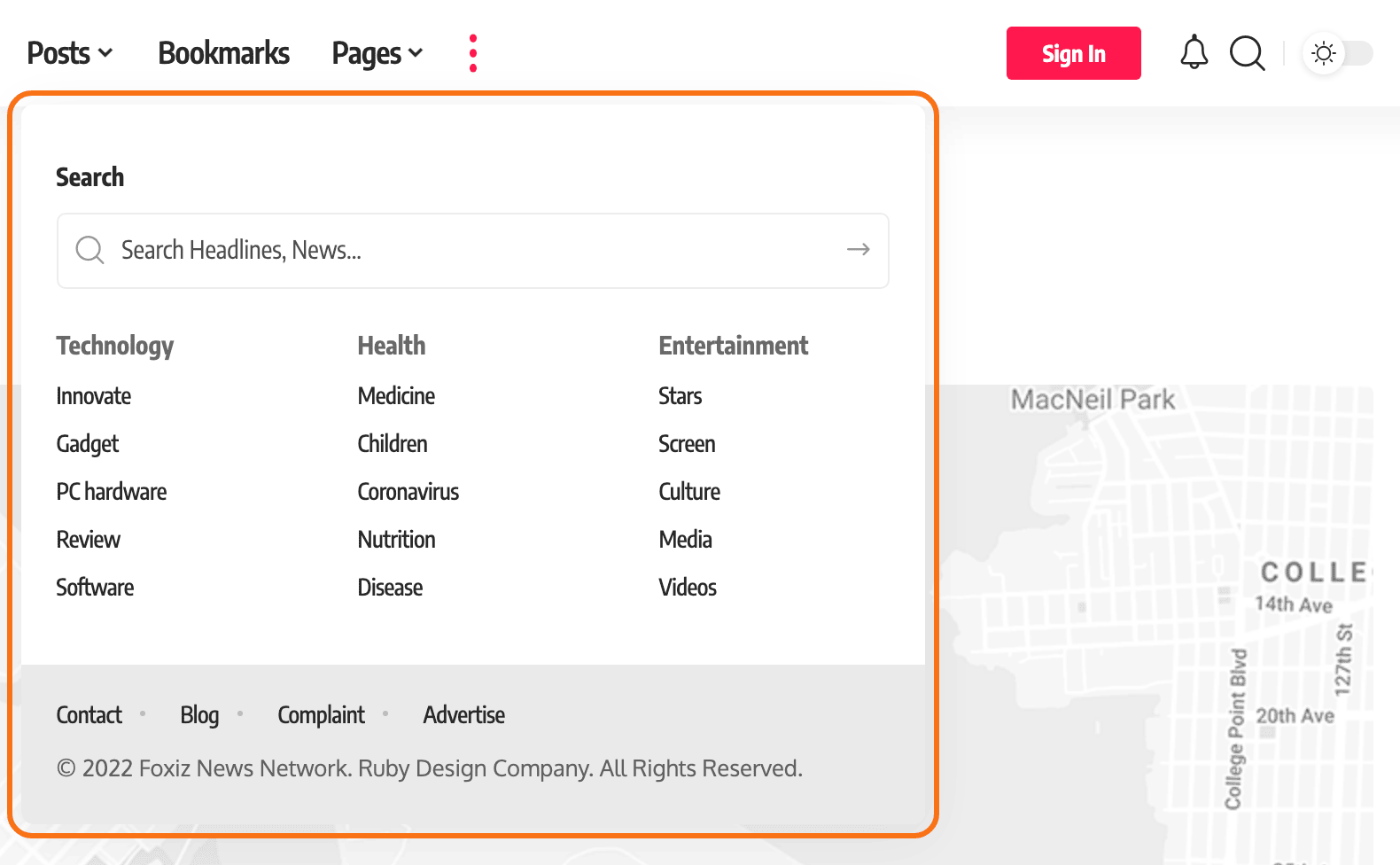
Where: Theme Options > Header > More Menu Item.
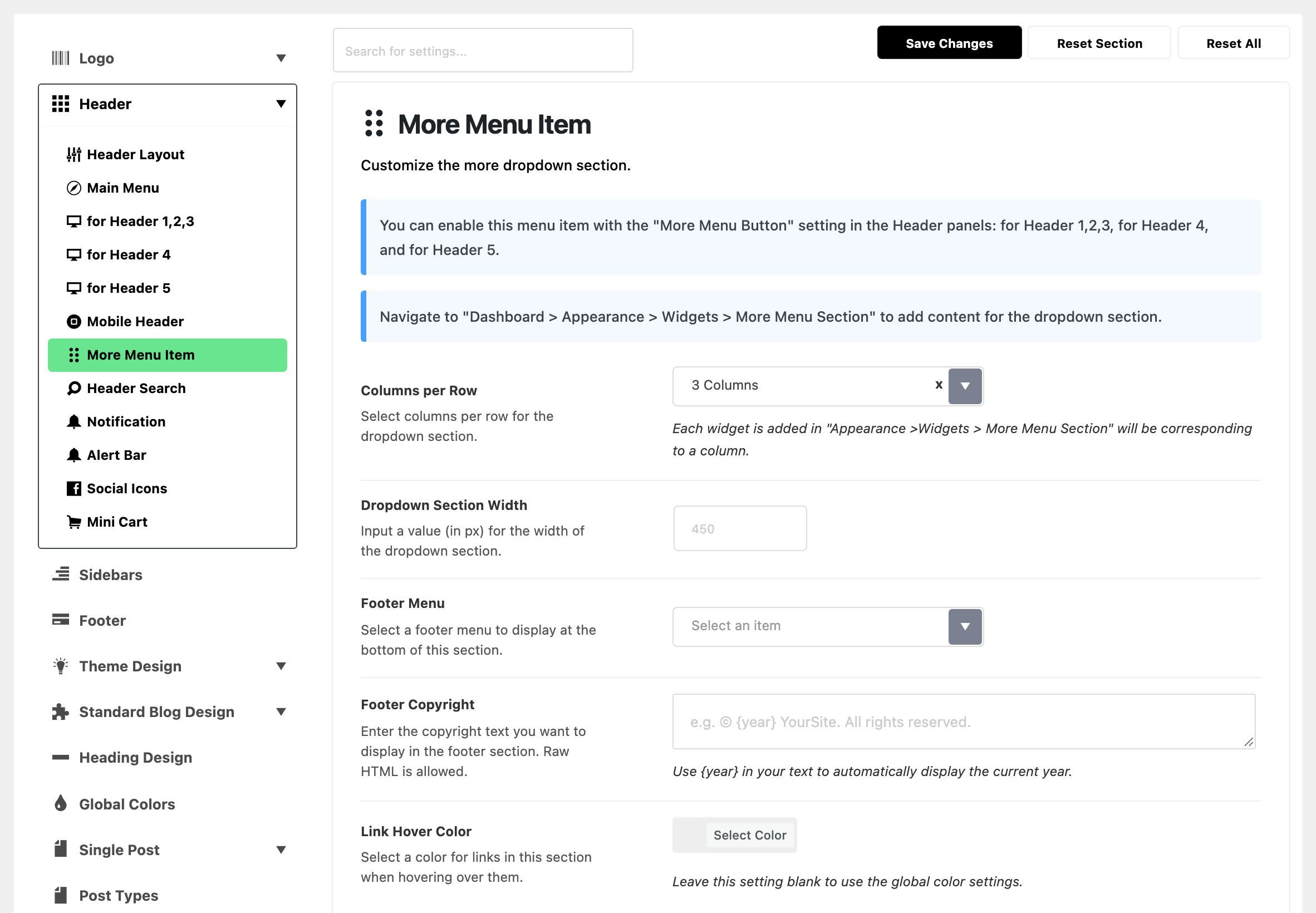
Nothing here switches the button on. That is More Menu Button, in the for Header subsection of your layout, and it is off by default. The dropdown's content is not here either: it is the widgets you put in Appearance > Widgets > More Menu Section. Both notices at the top of this subsection say so.
The walk through is how to add more button menu to the main navigation.
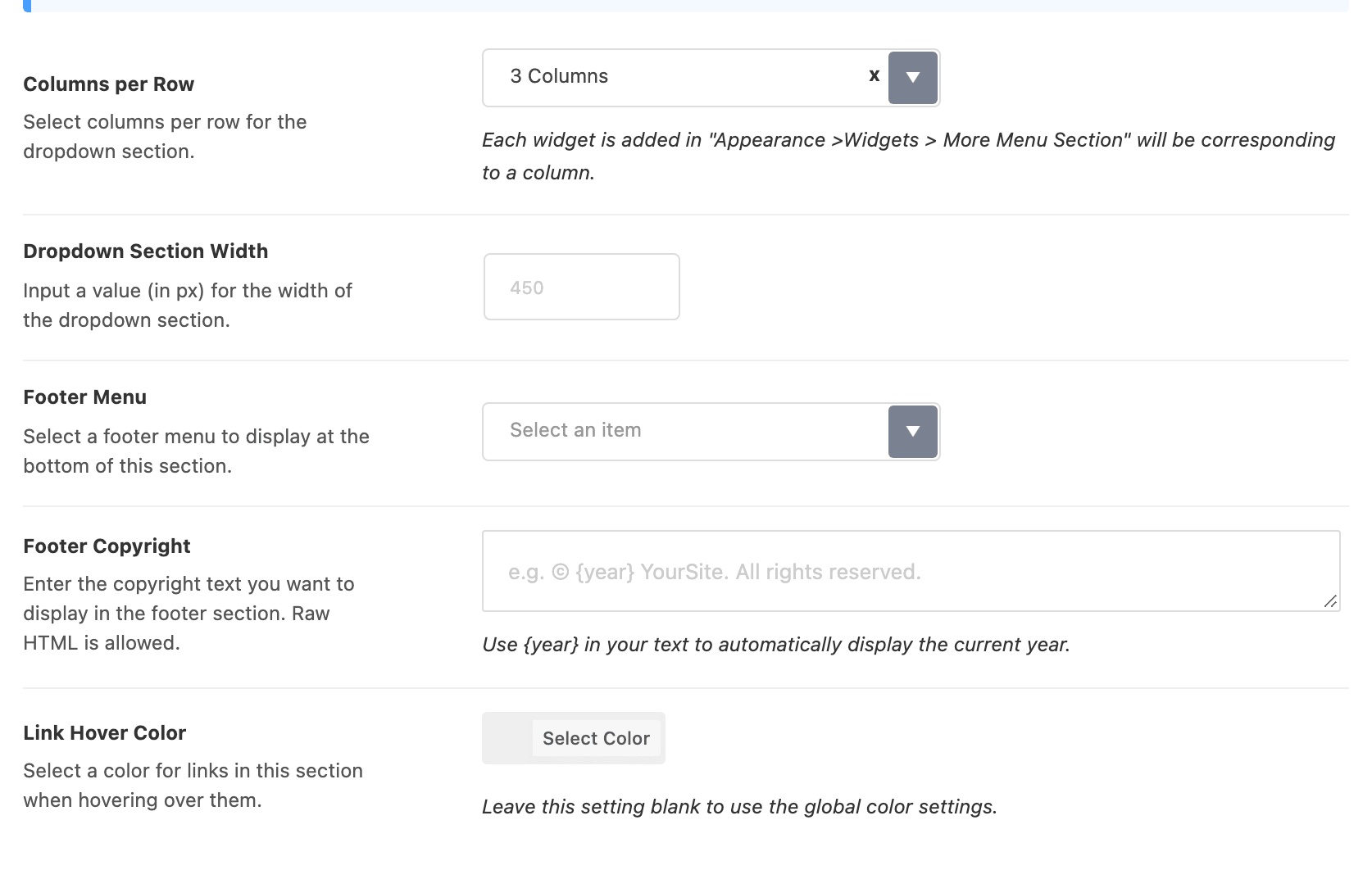
- Columns per Row: how many widgets sit side by side in the dropdown.
- Choices: 2 Columns to 5 Columns. Default: 3 Columns.
- Each widget in More Menu Section is one column. A fourth widget with three columns per row starts a new row.
- Dropdown Section Width: how wide the dropdown is, in pixels. Default: empty, which lets the dropdown take the width its content needs. The grey hint is 450.
- It never gets wider than the screen.
- Set it when the columns look cramped, or the dropdown spreads too wide.
- Footer Menu: a menu printed along the bottom of the dropdown, such as About, Contact and Privacy. Default: no menu chosen, so there is no footer menu.
- The list offers every menu you created in Appearance > Menus.
- Only the menu's top level items are shown.
- Footer Copyright: a line of text under the footer menu, usually a copyright notice. Default: empty, so there is no line.
- Type
{year}and the current year is printed in its place, so the notice never goes out of date. - Simple HTML, such as a link, is allowed.
- Type
- Link Hover Color: the colour of any link in the dropdown while the pointer is on it. Default: empty, which uses the site's accent colour.
The dropdown's background and text colours are not here. They come from Background and Text Color in Main Menu, which colour every dropdown in the header.
The search form at the top of the dropdown is More Menu - Search Form, in Header Search. It is on by default.
In a Ruby Template header
A Ruby Template header gets the more button from the More Menu Button switch on its Foxiz - Menu Navigation block. That dropdown uses only part of this subsection:
- Columns per Row, Dropdown Section Width and Link Hover Color apply.
- Footer Menu and Footer Copyright do not show, and neither does the search form.
Related
- How to add more button menu to the main navigation: turning the button on and filling the dropdown.
- How to config the header
- How to create and set up header menus: the menu that Footer Menu picks.
Did this answer your question?