How to Config Global Values for the Carousel and Slider
Set the slider defaults
Two places decide how a slider or carousel moves:
- Theme Options > Theme Design > Slider Animation sets every carousel and slider on the site.
- The Carousel Mode section on an Elementor block's Layout tab changes that one block.
The block's setting wins for that block. A block field left on - Default -, or blank, follows Theme Options. So set the site-wide values here first, then change only the blocks that should move differently.
-
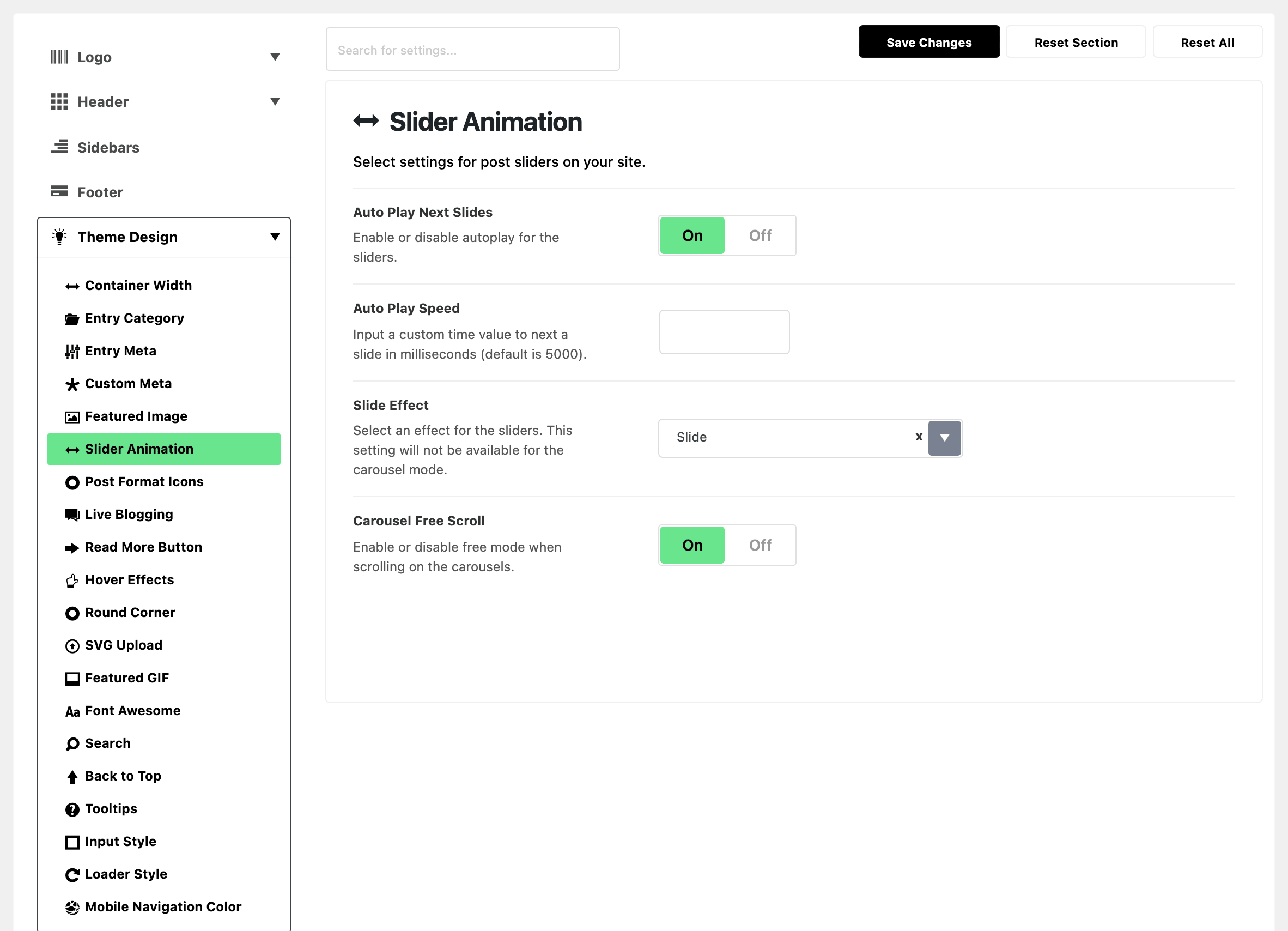
Navigate to Theme Options > Theme Design > Slider Animation
-
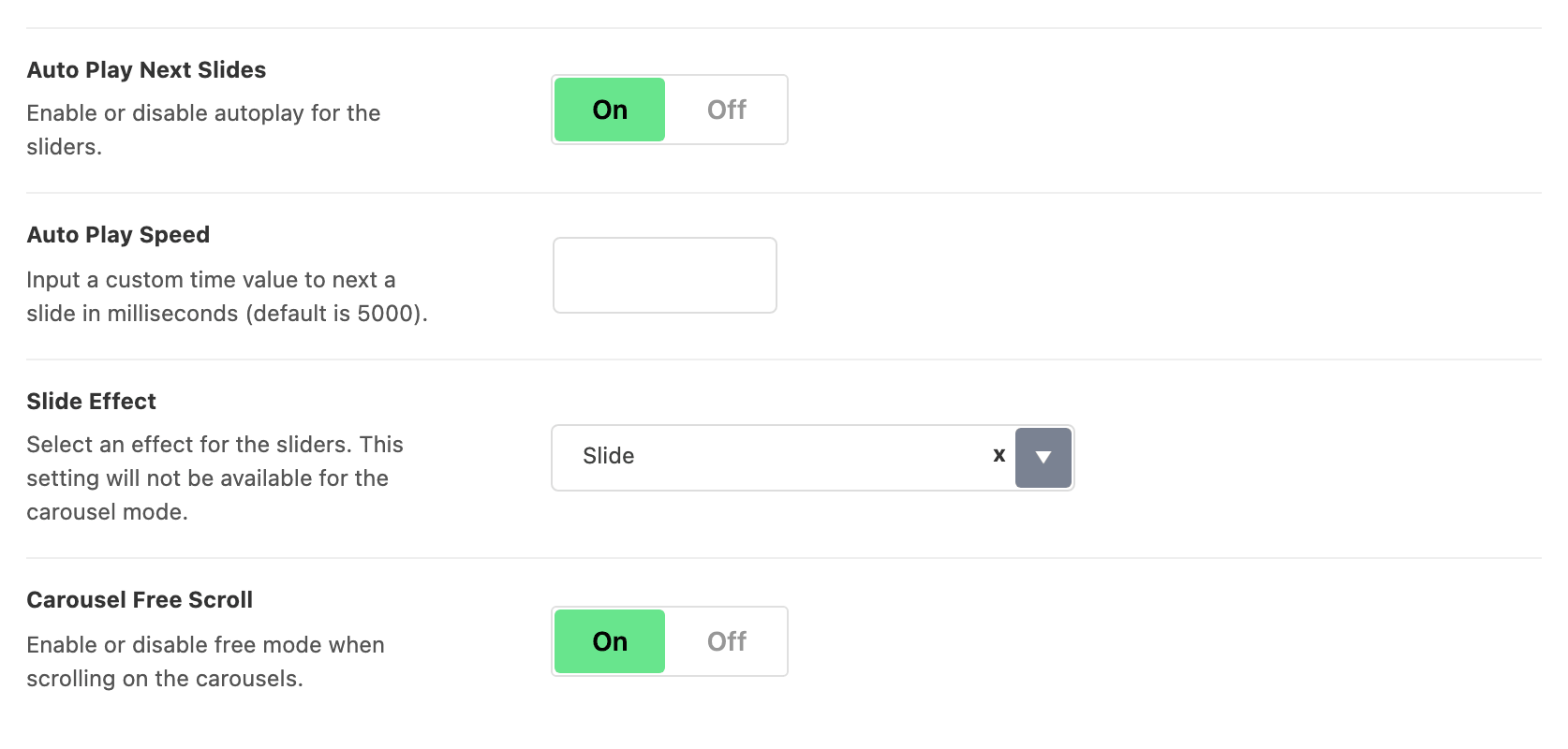
Edit options you would like. There are four:
-
Auto Play Next Slides: moves to the next slide on its own. On by default.
-
Auto Play Speed: the pause on each slide, in milliseconds. It only appears once autoplay is on. Empty by default, which means 5000, or five seconds.
-
Slide Effect: Slide or Fade. Its default is Slide. It does nothing in carousel mode: there, more than one item is visible at a time, so fading between them is not possible.
-
Carousel Free Scroll: lets a carousel come to rest between items, instead of snapping to one. It applies to carousels that show more than one item at a time. On by default.
-
-
Click Save Changes.
Where these settings apply
These apply to every slider and carousel, including the gallery post format, unless a block sets its own value.
They are sent to the front end once, as page level JavaScript settings. They are not written onto each slider. That is why changing one of them changes every slider at the same time.


Set one block differently
To set one Elementor block differently, open that block's Layout tab in Elementor.
The section is called Carousel Mode. It starts with Carousel (turn it on to make the block slide) and the slide layout (Number of Slides, Carousel Gap, Pagination Dot, Next/Prev and others). The last three settings match the Theme Options ones above:
- Auto Play Next Slides: its default is - Default -.
- Auto Play Speed: the pause on each slide for this block, in milliseconds. Leave it blank to use the Theme Options value.
- Free Mode: its default is - Default -. It is the same setting as Carousel Free Scroll in Theme Options, under another name.
- Default - means "use the Theme Options value". Pick Enable or Disable to override it for that block only.
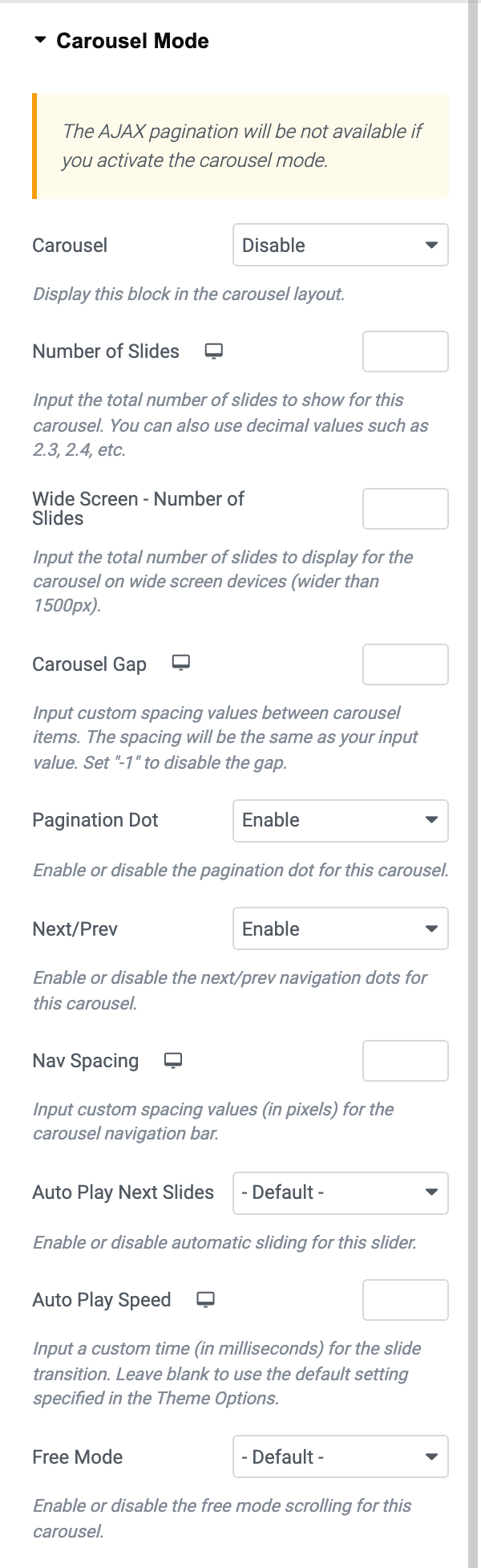
Slide Effect has no block level control at all.
Did this answer your question?