Live Blogging
How a live blog post is marked in listings, the heading at the top of the live article, and how often an open article pulls in new entries.
Where: Theme Options > Theme Design > Live Blogging.
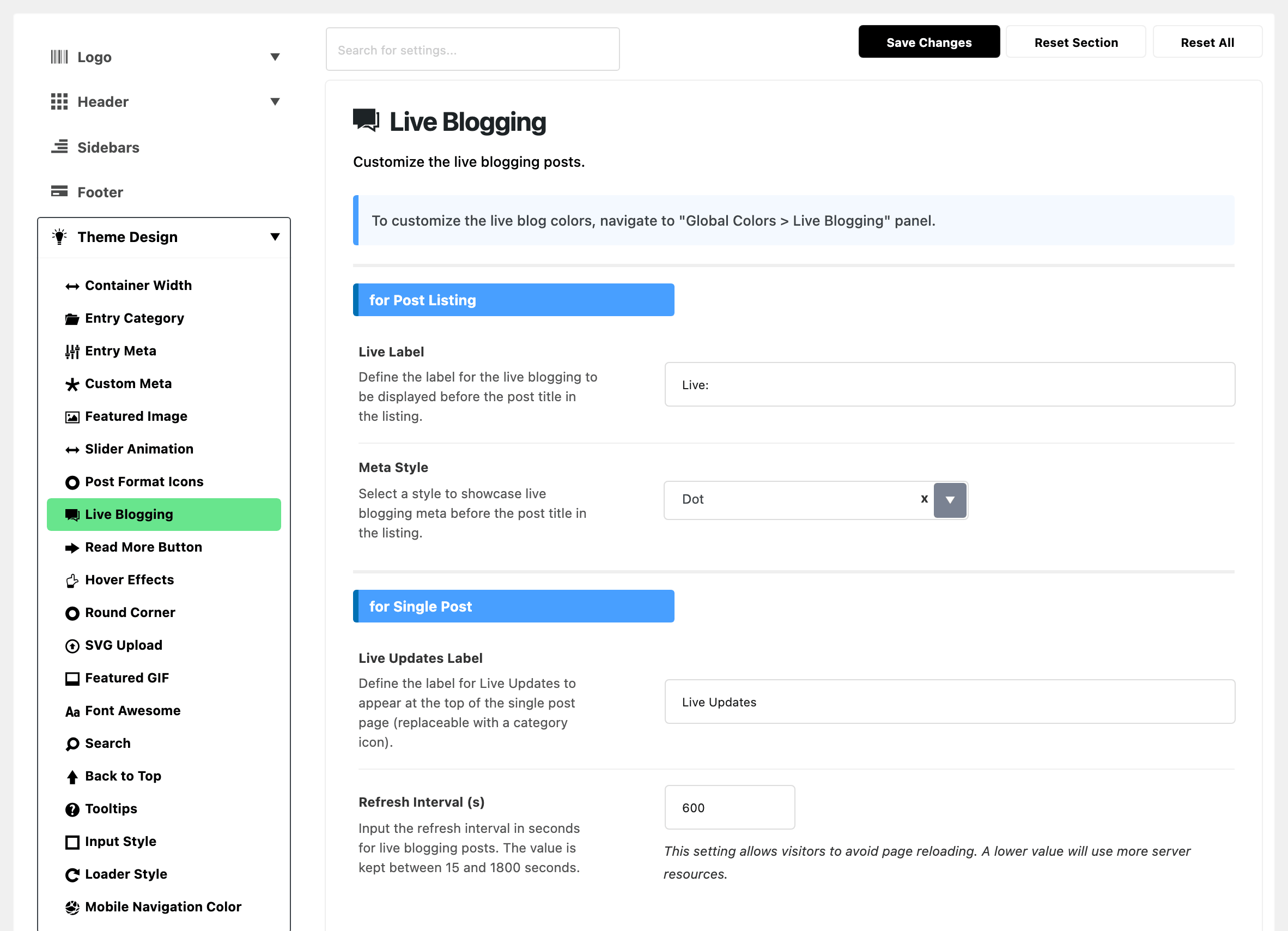
Colours for live posts are in Global Colors > Live Blogging, not here.
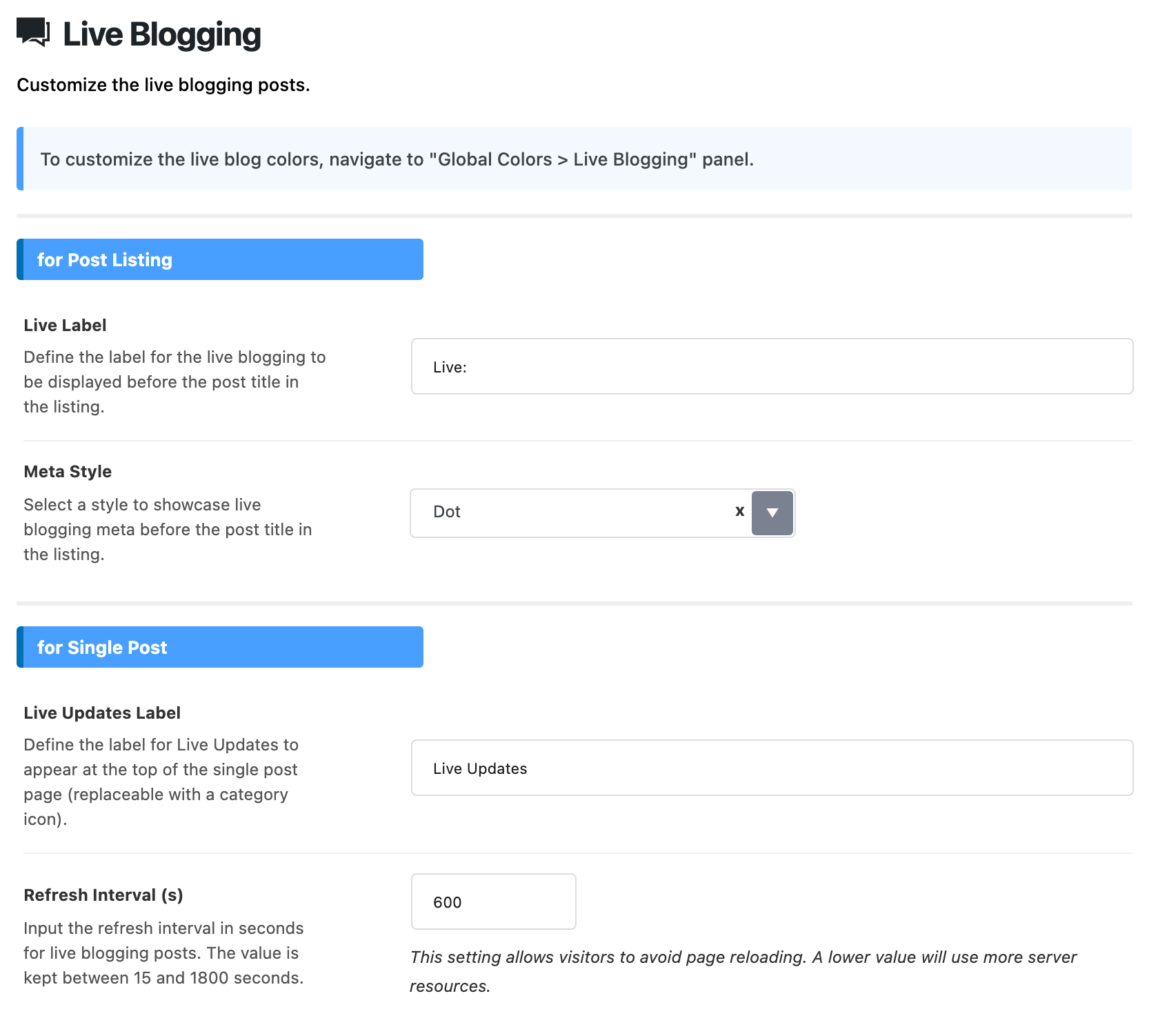
for Post Listing
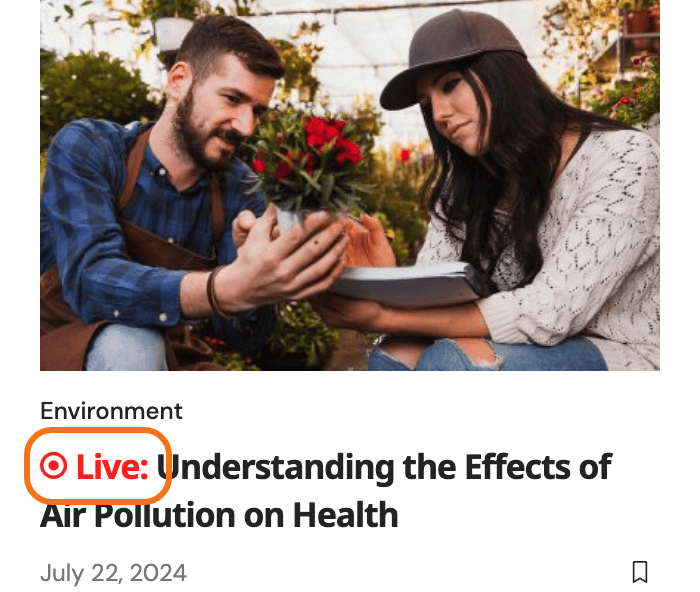
- Live Label: the text a live post can carry in front of its headline. Its default is Live:.
- It only appears when Meta Style is on Text Only or Dot & Text. Change the two together, or the new wording stays out of sight.
- Meta Style: what a live post carries in front of its headline: Dot, Text Only or Dot & Text. Its default is Dot.
for Single Post
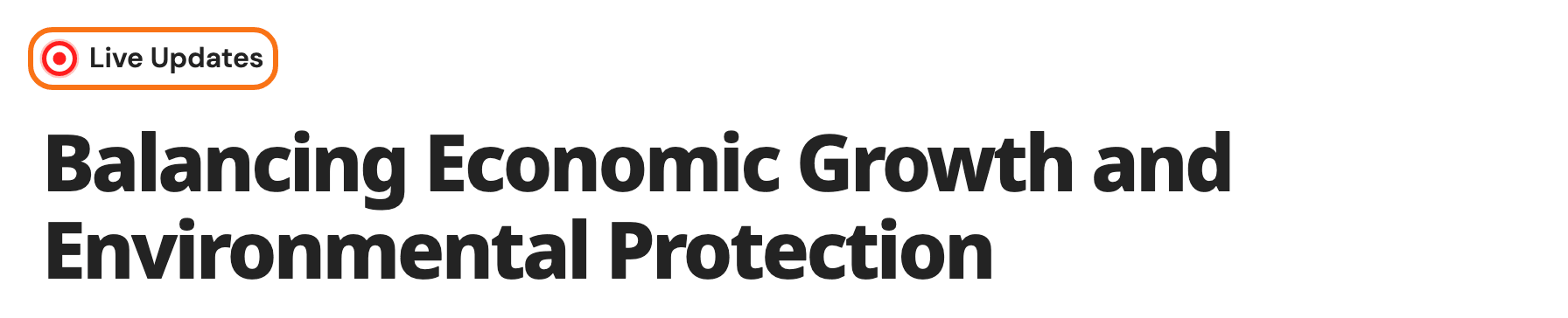
- Live Updates Label: the wording at the top of a live article. Its default is Live Updates. It sits where the post's category label normally goes, so a live post shows this label instead of its category. One post can use its own wording in Live Label, in the Live Blogging tab of its Single Post Settings box.
- Refresh Interval (s): how often a reader's open article pulls in new entries, in seconds. Its default is 600.
- Values are brought inside 15 to 1800 before they are used. So 3600 refreshes every half hour, not every hour.
- Left blank or at 0, it refreshes every 1800 seconds.
- A low number costs you server load for every reader sitting on the page.
- Lower it for a fast moving event. Raise it when the server struggles.
Related
- How to create a live blog post: the walkthrough.
- Color options: the Live Blogging colours.
- How to use Gutenberg blocks: the Live Blog - Ruby block.
Did this answer your question?