Entry Meta (Theme Design)
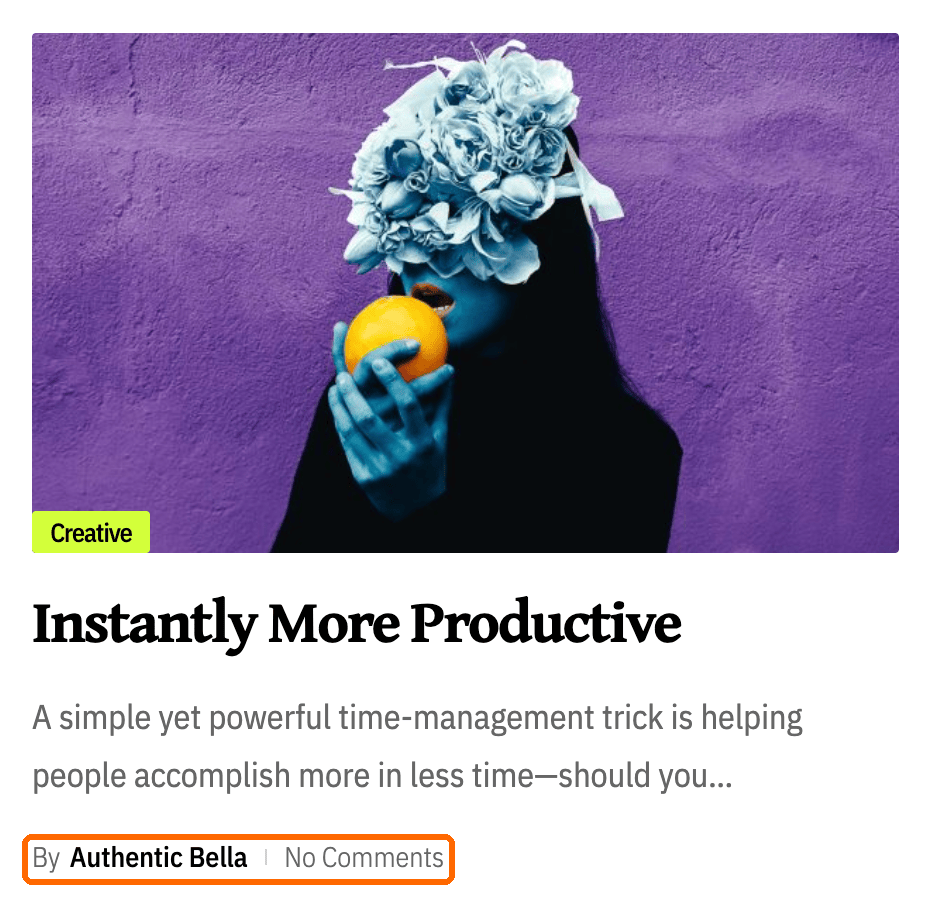
The small line of author, date, views and comments under a headline in a listing: how its items are separated, how term links look, which items carry an icon, and how reading time and dates are worked out.
This subsection styles the meta line in post listings: the home page, category and archive pages, search results, and the blocks that list posts.
- The meta line at the top of a single post has its own settings, at Theme Options > Single Post > Entry Meta. See How to config entry meta info in single post.
- One field reaches the single post anyway: Divider Style here is the fallback when the single post leaves its own divider blank.
Where: Theme Options > Theme Design > Entry Meta.
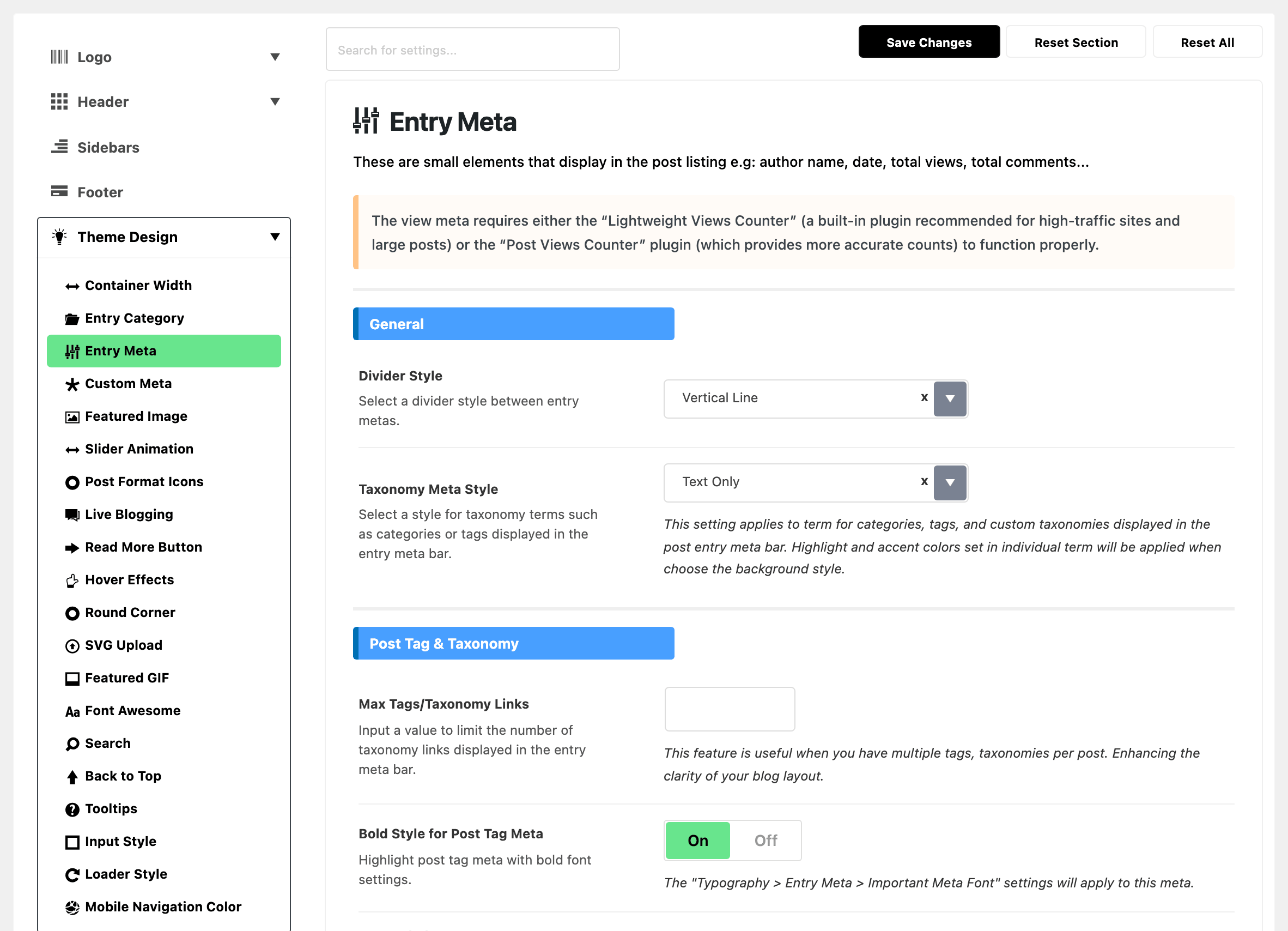
The largest subsection in the panel, in six groups. Which items appear in the line at all is not set here: that is the block's or the listing page's choice, covered in how to turn on and off meta information.
The view meta needs a views counter behind it, or it has nothing to print. Turn on Light Views Counter, the counter built into the theme. The note at the top of this subsection calls it the Lightweight Views Counter. Light Views Counter sets it up.
General
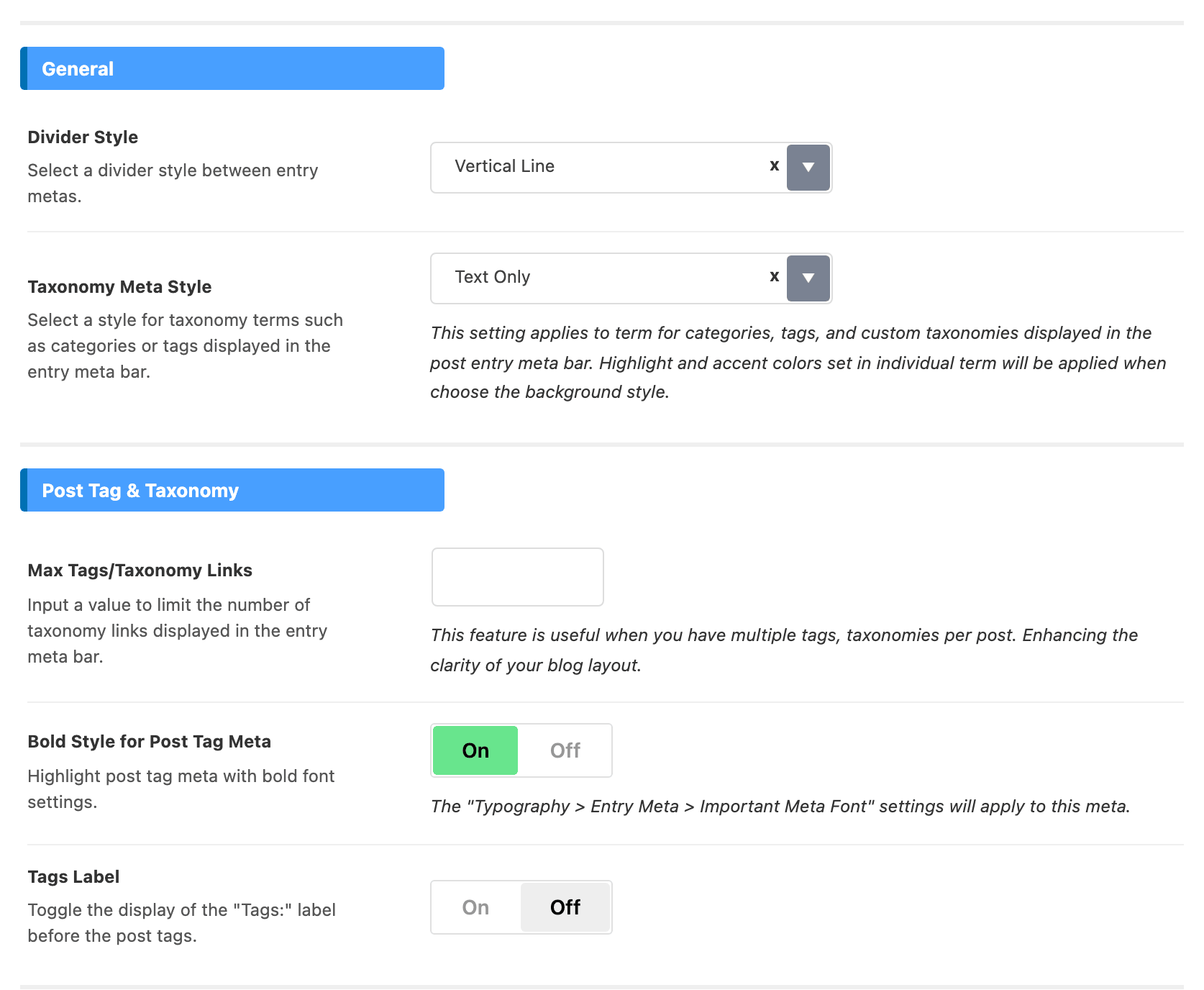
- Divider Style: what separates one meta item from the next. Nine choices, and the default is Vertical Line. White Spacing and Line Wrap change the line's shape rather than its punctuation.
- Taxonomy Meta Style: how category and tag links look in the meta line. The choices are Text Only, Background and Outline, and the default is Text Only. Pick Background and the colours you set on each category start showing here too.
Post Tag & Taxonomy
- Max Tags/Taxonomy Links: how many category and tag links the meta line prints. Empty by default, which shows all. Set it when a post with many tags pushes the line onto two rows.
- Bold Style for Post Tag Meta: gives tags the important meta font from Typography > Entry Meta. On by default.
- Tags Label: prints Tags: in front of the tag list, instead of letting the tags stand alone. Off by default.
Important Term Colors
Both fields colour the category and tag links in the meta line. Both are empty by default. Blank uses the colour set in Typography > Entry Meta, under Important Meta Font.
- Term Name Color: the link colour.
- Dark Mode - Term Name Color: the link colour, in dark mode.
Entry Meta Icons
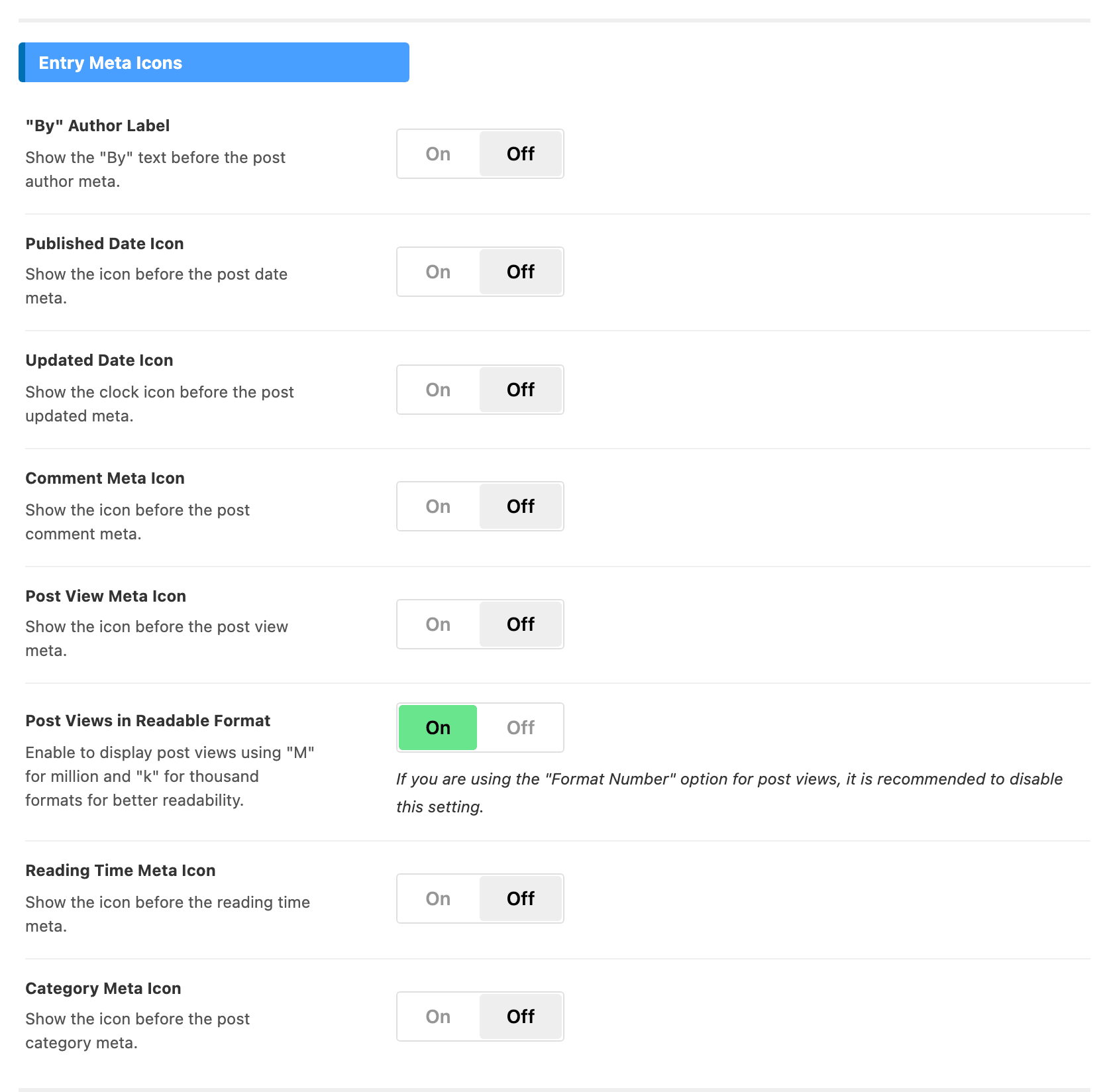
Eight switches, in panel order:
- "By" Author Label: adds a word, not an icon. Turn it on and the author name in listings reads By followed by the name. Off by default. Single posts have their own switch with the same label, at Single Post > Entry Meta.
- Published Date Icon: a small icon in front of the date. Off by default.
- Updated Date Icon: a small clock icon in front of the updated date. Off by default.
- Comment Meta Icon: a small icon in front of the comment count. Off by default.
- Post View Meta Icon: a small icon in front of the view count. Off by default.
- Post Views in Readable Format: shortens a view count to a k or an M figure, instead of printing every digit. On by default. If your views counter already formats the number, turn this one off.
- Reading Time Meta Icon: a small icon in front of the reading time. Off by default.
- Category Meta Icon: a small icon in front of the category. Off by default.
Reading Speed
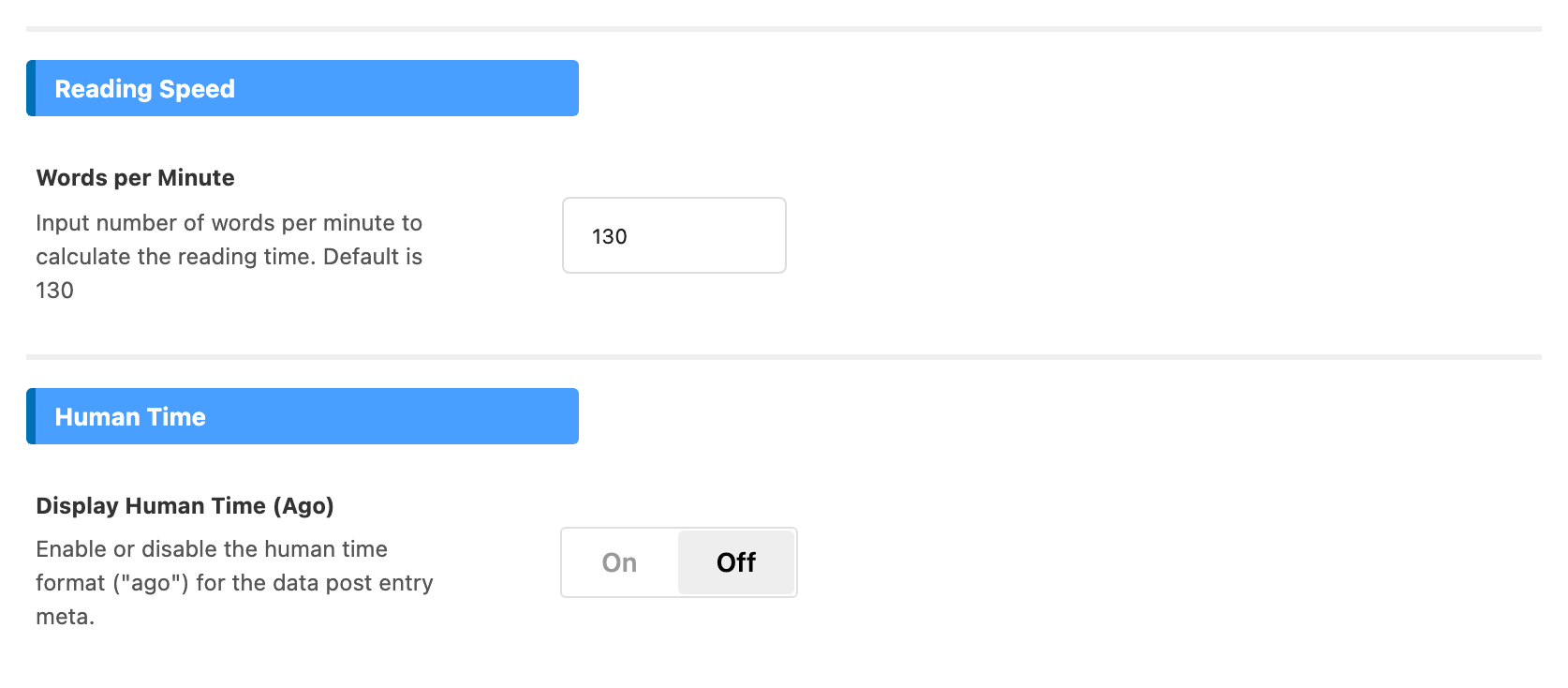
- Words per Minute: how fast the theme assumes people read, which sets the reading time shown on each post. Its default is 130. Raise it and every article's estimate gets shorter.
- A 1,300 word article reads as 10 minutes at 130, and as 6 minutes at 200. The time is rounded to the nearest minute.
- 130 is a slow pace. Adults usually read 200 to 250 words a minute, so a figure in that range suits most sites; keep a lower one if your articles are dense or technical.
Human Time
- Display Human Time (Ago): dates in listings read as an interval ("ago") rather than a calendar date. Off by default.
- Every date turns into an interval, however old the post: "5 hours ago", and for a post from two years back, "2 years ago". There is no cut-off after which the calendar date comes back.
- It suits news sites, where freshness matters. Evergreen blogs usually keep calendar dates.
Not here: the edit link
Signed in editors see a small edit link on a post's featured image in listings. It is not switched here. Its switch is Edit Post Link in Featured Image. Visitors never see it either way.
What overrides it
- Term Color on a category's or tag's edit screen: the colour set there wins over Term Name Color, for that term.
- Divider Style on an Elementor block (Style tab > Entry Meta): a style picked there wins for that block. Left on - Default -, the block uses the one set here.
- Important Meta Color on an Elementor block (Style tab > Entry Meta): wins over Term Name Color for that block.
- Entry Meta and Entry Meta Tags on a block: these choose which items the line shows, not how they look. Walked through in How to edit Style and Layout of a Block.
Related
- How to turn on and off meta information: choosing which of these items appear.
- How to config entry meta info in single post
- How to change category meta info style and color
- Light Views Counter: the counter behind the view meta.
- Custom Meta: one more item of your own in the same line.
Did this answer your question?