Slider Animation
How every slider and carousel on the site moves: whether it plays by itself, how long it rests on a slide, and how it changes slides.


Where: Theme Options > Theme Design > Slider Animation.
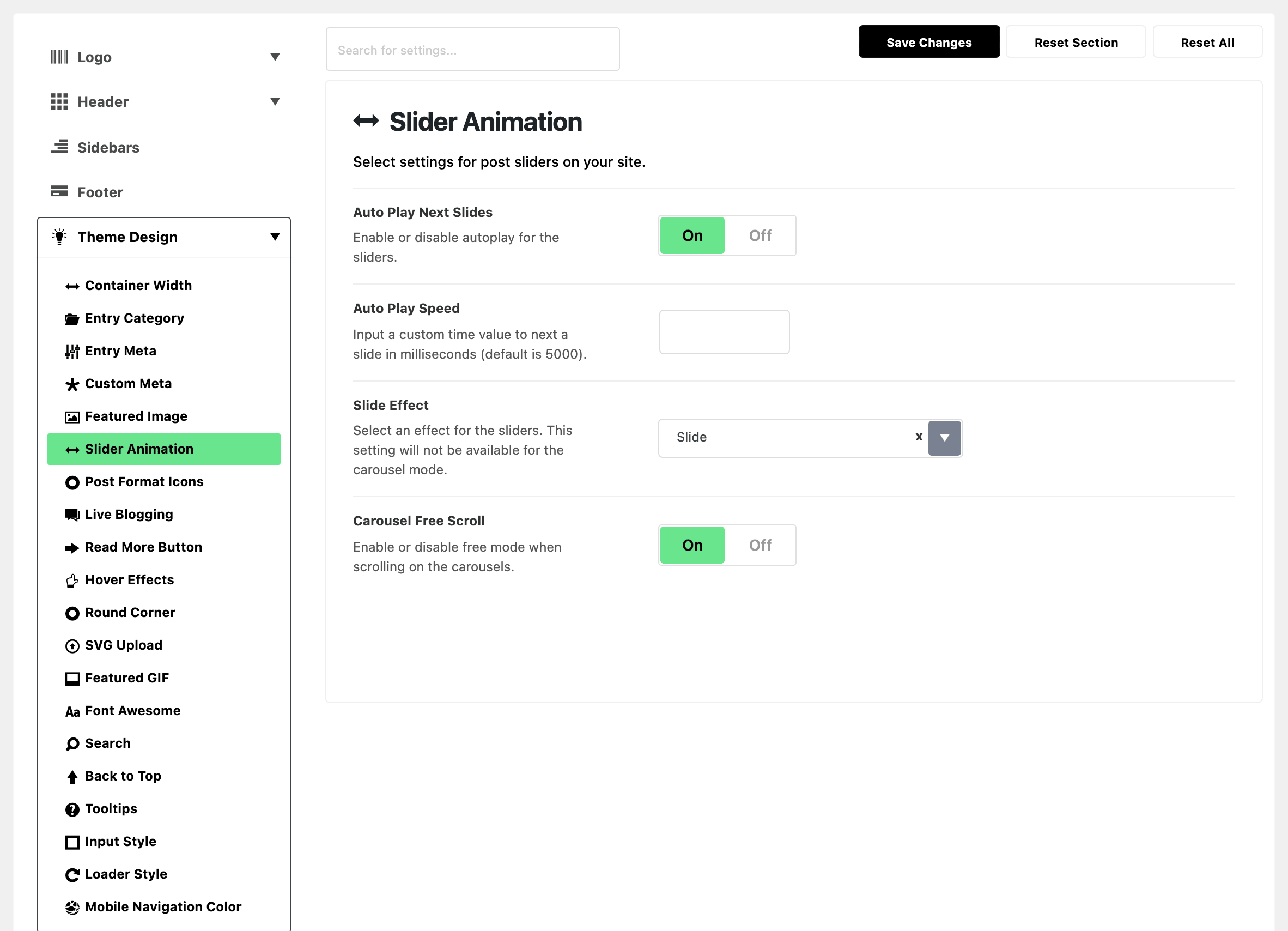
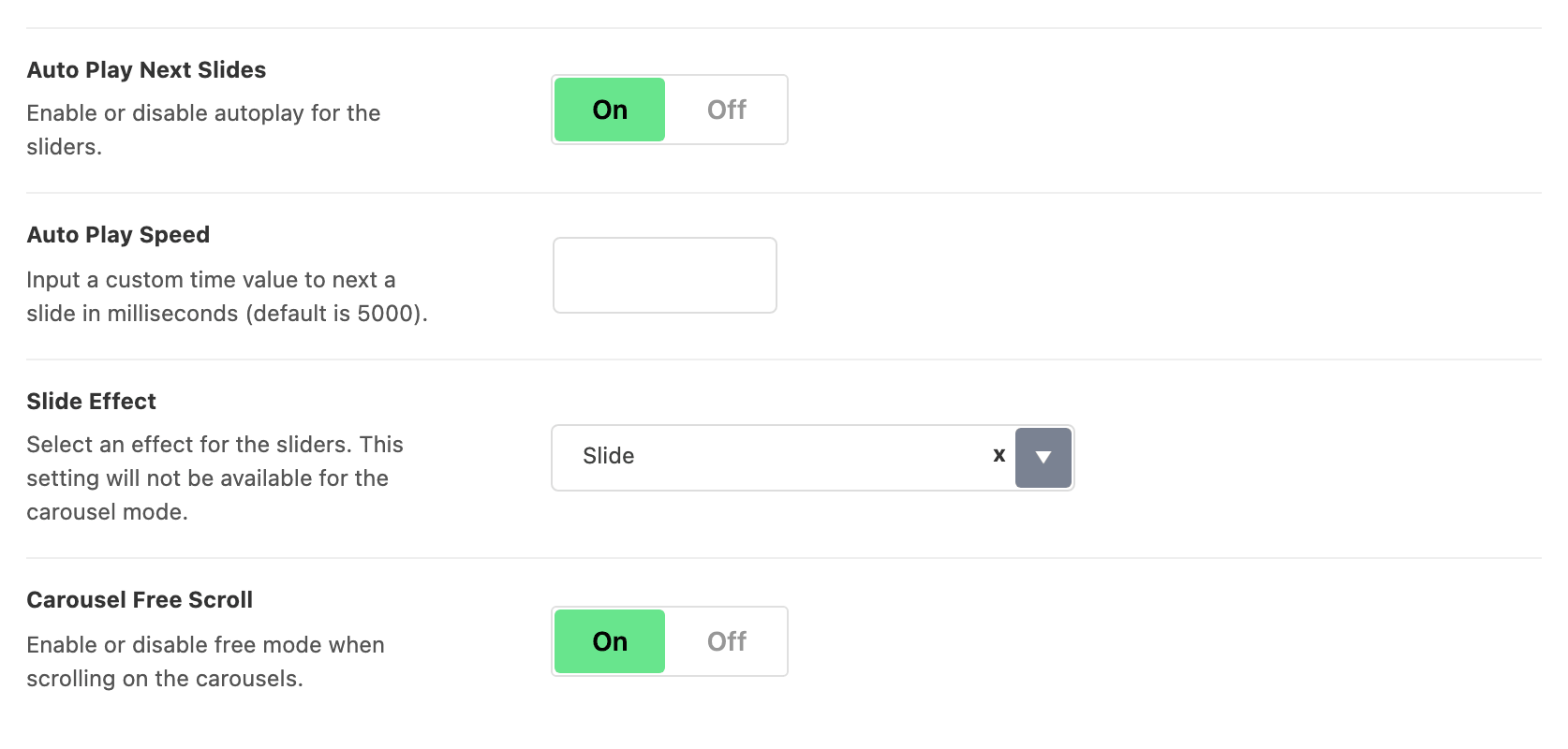
Four fields, and they set the behaviour of every slider and carousel on the site at once.
- Auto Play Next Slides: sliders move to the next slide by themselves. On by default. Turn it off if readers should move the slides themselves.
- Auto Play Speed: how long each slide stays, in milliseconds. It is empty by default, which means 5000. Hidden until Auto Play Next Slides is on.
- Slide Effect: how a slider changes slides, Slide or Fade. Its default is Slide.
- It applies to single slide sliders only. Carousels always slide.
- Carousel Free Scroll: a carousel drifts to a stop instead of snapping to the next item. On by default.
What overrides it
An Elementor slider or carousel block has its own copy of three of these fields. The block's value wins, for that block only. So one carousel can autoplay on a site where nothing else does.
- Auto Play Next Slides on the block: the block's value wins.
- Auto Play Speed on the block: the block's value wins.
- Free Mode on the block: the block's value wins over Carousel Free Scroll. Free Mode is the block's name for it.
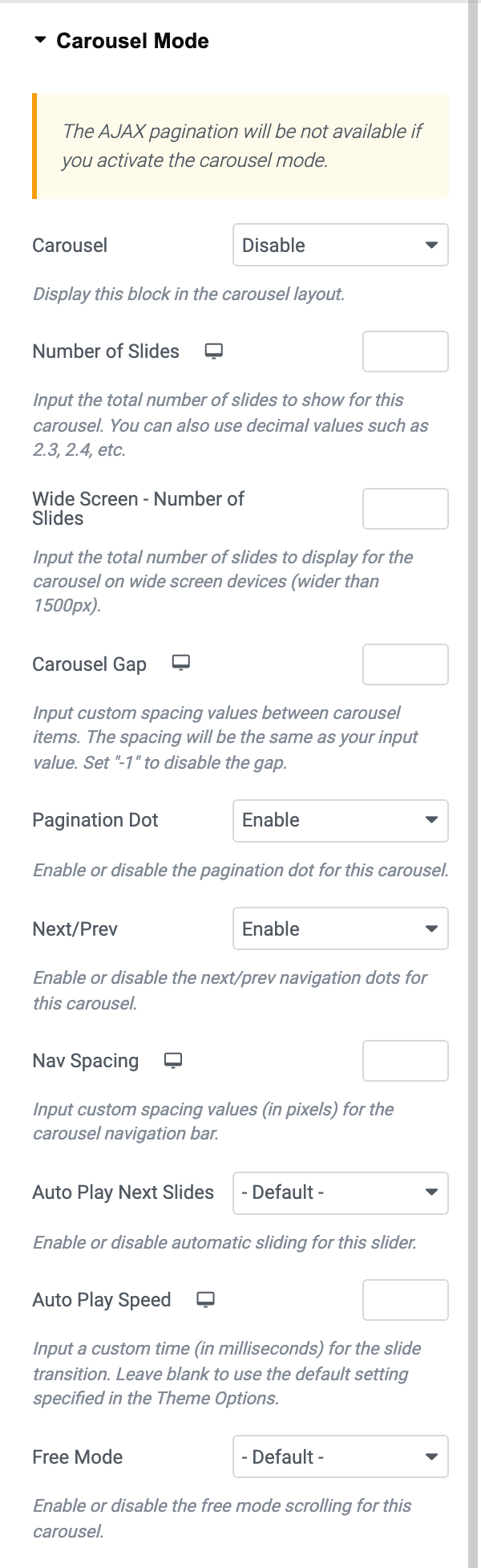
Slide Effect has no block twin and always comes from here.
Related
- How to set slider defaults: the walkthrough, and how a block overrides these.
- How to create a slider or carousel in the homepage
Did this answer your question?